
Review
MikroTik CSS610-8P-2S+IN Review
Practical review of the MikroTik CSS610-8P-2S+IN PoE switch with 10G uplinks — VLANs on SwOS Lite, PoE budget, LLDP gaps, and management patterns.
Summary The MikroTik CSS610-8P-2S+IN is a compact fanless PoE switch with eight Gigabit ports, two 10G SFP+ uplinks, and a 140W PoE budget — a strong access-layer device for offices, clinics, surveillance networks, and small ISPs. It runs SwOS Lite, which keeps it simple and predictable but limits what cloud-first management workflows expect. This review covers what it does well, the SwOS quirks worth knowing (notably the LLDP gap), and the management patterns that make it work across multiple sites.
What is the MikroTik CSS610-8P-2S+IN?
The MikroTik CSS610-8P-2S+IN is a compact access switch with eight Gigabit Ethernet ports plus PoE-out, two 10 Gbps SFP+ uplinks, and a fanless metal chassis. Internally, it runs a single switching ASIC with SwOS Lite — a deliberately minimal Layer-2 operating system rather than the full RouterOS. The simplicity is the point: wire-speed forwarding, a usable PoE budget, dual 10G uplinks, and zero acoustic footprint.
What you get is a solid L2 traffic mover that powers common endpoints. What you don’t get is RouterOS, advanced automation, or deep remote programmability. If you approach it as a compact L2 PoE switch — not a small router that happens to have many ports — your expectations will match reality. For RouterOS-based switches with full programmability, look at the CRS line; for a routing-capable counterpart, see our RB5009 review.
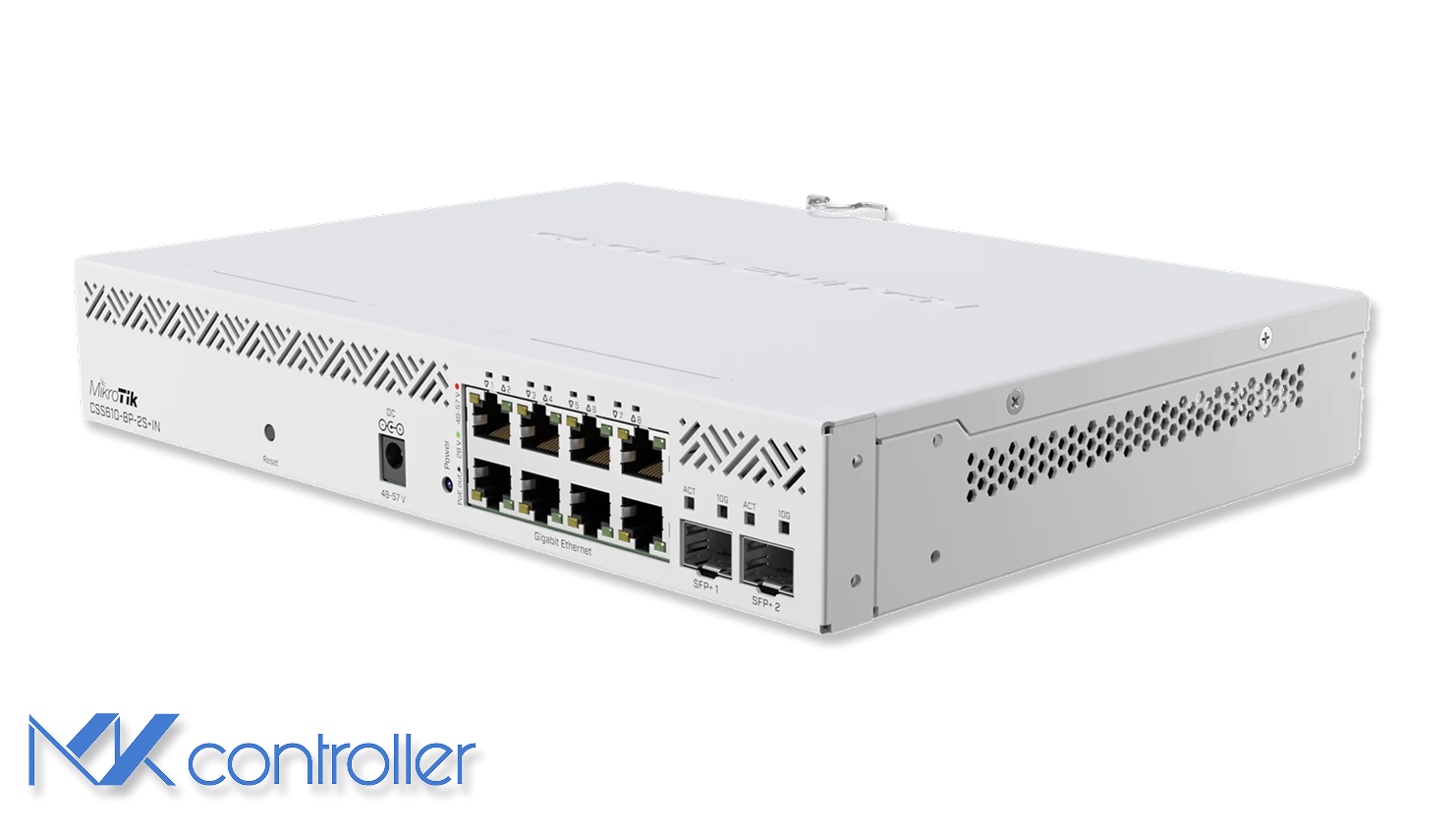
Hardware highlights that matter
On paper the CSS610 checks the boxes most SMB environments care about:
- 140W total PoE budget across 8 ports (802.3af/at plus passive modes).
- Dual 10G SFP+ uplinks for aggregation, servers, or a faster core.
- Passive cooling — the case acts as a heatsink, so it’s quiet and simple.
- Dual power inputs (AC + 48–57 V DC) for flexibility and basic redundancy.
In practice this is the sweet spot for offices, clinics, small ISPs, and surveillance networks that need many powered endpoints and 10G uplinks in a small footprint.
VLANs and segmentation on SwOS Lite
SwOS Lite supports IEEE 802.1Q VLANs, trunks, and port isolation typical of a smart switch. The key is to configure it deliberately, because VLAN behavior depends on PVIDs and filtering settings.
The practical approach:
- Create the VLAN IDs you need (e.g.,
10for office,20for cameras,30for guest). - Mark access ports as untagged members of exactly one VLAN.
- Mark uplink ports (often SFP+) as tagged members of the VLANs you want to carry.
- Enable VLAN filtering and verify isolation between segments.
Keep a dedicated management VLAN and avoid managing switches from user VLANs — it makes troubleshooting easier and reduces lateral-movement risk. If your upstream device is a MikroTik router (RouterOS), verify tagged VLANs:
/interface bridge vlanprint where bridge=bridge1And confirm clients land in the correct subnet:
/ip dhcp-server leaseprint where active=yesPoE performance and the LLDP gotcha
The CSS610’s PoE budget is one of its strongest selling points. Powering a combination of access points, cameras, and phones is usually straightforward, and SwOS provides per-port visibility for PoE state and draw.
The main gotcha: SwOS Lite does not implement LLDP. A small set of devices — notably some Cisco access points — rely on LLDP or vendor discovery to request full PoE+ power. On the CSS610, those devices may fall back to a lower power mode even when the switch hardware could supply more. Mitigations: test one unit of any mixed-vendor PoE endpoint early, keep firmware current, document which endpoints need special handling, and use compatible PoE injectors for the handful of “needy” devices where workarounds aren’t acceptable.
10G SFP+ uplinks: fast, but watch the thermals
The two SFP+ ports are what make the CSS610 feel bigger than it looks — 10G uplinks to a core switch, NAS, or router without making the access layer a bottleneck. The trade-off is typical of compact fanless hardware: module heat. Optical modules and DAC cables behave well. 10GBASE-T copper SFP+ modules often run very hot and, in a fanless chassis, can push temperatures uncomfortably high.
Simple rule of thumb: prefer DAC for short rack links, prefer fiber for longer runs, and use copper SFP+ only when you truly must — and give the switch airflow when you do.
Remote management and cloud expectations
This is where many buyers need a quick reality check. The CSS610 is managed primarily through its local web interface. It does not offer RouterOS API/CLI, and it won’t behave like a cloud-first switch by itself.
You can still manage it responsibly across sites by combining it with a RouterOS gateway and a cloud controller. Use a MikroTik router as the site’s secure entry point, reach the CSS610 web UI through a VPN or controlled remote-access path, and use SNMP for monitoring (links, traffic counters, basic health) even if config changes remain manual. See our SNMP monitoring guide for that pattern. MKController centralizes RouterOS device management and acts as the operational hub for multi-site networks — the CSS610 remains a dependable access switch behind that hub while your router is the managed control plane.
When the CSS610 is the right choice
Choose the CSS610-8P-2S+IN when you need a silent compact PoE switch with a real PoE budget, VLAN segmentation for cameras/VoIP/office/guest networks, 10G uplinks without enterprise-switch pricing, or a stable access layer that doesn’t depend on a vendor cloud account.
Look at RouterOS-based CRS options instead if you need full cloud provisioning and templating, CLI automation across switches, or L3 features on the switch itself.
Take the next step
The real win in multi-site networks isn’t choosing the right switch — it’s having a reliable edge switch and a predictable control plane in the cloud. MKController centralizes RouterOS monitoring and operations while letting switches like the CSS610 stay simple, stable, and easy to reach when needed. Pair the CSS610 with our hAP ac² review for SOHO access topology, or the RB5009 review for the routing layer above it.