
Review
MikroTik hAP ac² Review
Practical review of the MikroTik hAP ac² for SOHO and SMB sites — features, real-world performance, Wi-Fi tuning, security hardening, and limits.
Summary The MikroTik hAP ac² (RBD52G-5HacD2HnD-TC) is a compact quad-core ARM router with dual-band Wi-Fi and the full RouterOS feature set — affordable enough for home offices, capable enough for small branches. It’s the right tool for typical SOHO and SMB workloads, and the wrong tool for heavy VPN aggregation or sustained Gigabit firewalling. This review covers what it does well, where it hits limits, Wi-Fi tuning that pays off, and the hardening checklist before deployment.
What is the MikroTik hAP ac²?
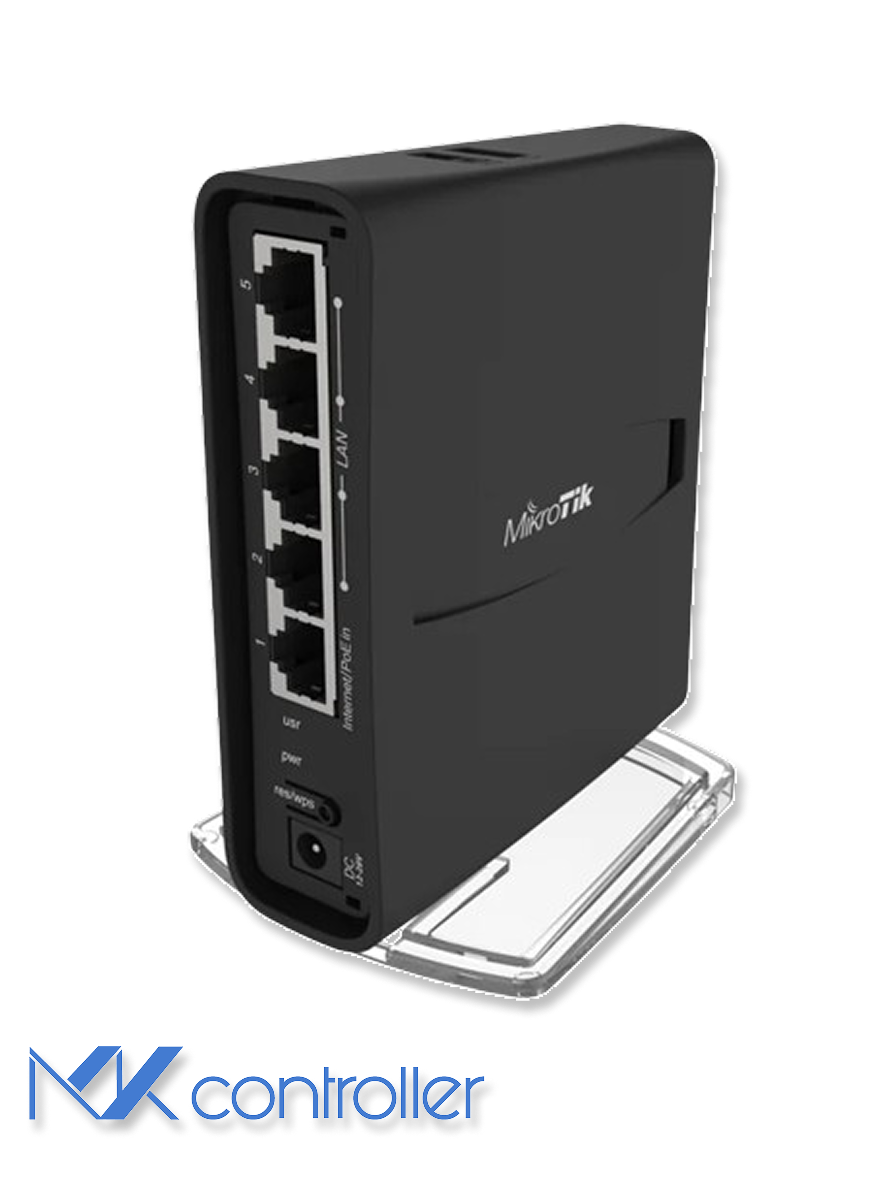
The MikroTik hAP ac² (RBD52G-5HacD2HnD-TC) is a compact desktop router built around a Qualcomm IPQ-4018 quad-core ARM SoC, with dual-band Wi-Fi (2.4 GHz and 5 GHz), five Gigabit Ethernet ports, and the full RouterOS feature set. The combination sits in a price-performance sweet spot for SOHO and SMB sites — a “real router” with VLANs, firewall, QoS, VPN, and monitoring in a box that lives quietly on a bookshelf.
For an operator choosing between hAP ac² and bigger MikroTiks, the question is simple: can it route fast, stay stable, and stay secure under your actual workload? For typical home offices, branch sites, and prosumer setups, the answer is yes. For high-throughput VPN aggregation, deep QoS at line rate, or full BGP tables, the answer is no — see our RB5009 review and hEX RB750Gr3 review for the step-up options.
Hardware and architecture
The hAP ac² is built around a modern ARM platform for its price class: quad-core IPQ-4018, dual-band Wi-Fi, five Gigabit Ethernet ports, and RouterOS features usually found in much larger devices. Three practical implications matter most:
- Routing features are rich. VLANs, firewall, QoS, VPN, and monitoring are all on the table.
- FastTrack is a big win. When your traffic pattern fits, FastTrack dramatically improves throughput with lower CPU load — it’s the single most impactful configuration knob.
- Wi-Fi is capable, not magical. Solid for apartments and small offices, but walls and interference still win eventually.
Performance in real networks
Performance benchmarks often read like scoreboards. What matters more is day-to-day behavior. With basic NAT plus firewall, the hAP ac² handles typical broadband connections comfortably. With heavier services — multiple VPN tunnels, deep packet inspection, complex queue trees — CPU climbs quickly because every packet runs the slow path. FastTrack on trusted traffic frees the CPU for everything else.
A practical rule: if the site needs “enterprise everything” turned on at once, plan a bigger router. If your needs are typical SMB or prosumer, the hAP ac² feels snappy.
Wireless tuning that actually helps
Dual-band Wi-Fi is the main reason most buyers choose this model. 5 GHz is faster but shorter range; 2.4 GHz travels further but is often crowded.
- Put the router in an open area, not inside a cabinet.
- Prefer 5 GHz for laptops and TVs; keep 2.4 GHz for IoT.
- Use WPA2/WPA3; avoid legacy encryption.
- Scan first, then pick the quietest channel — don’t crank channel width blindly.
Security hardening
Most router incidents are not zero-days. They are skipped basics: old firmware, exposed admin services, weak passwords, or permissive firewall rules. The RouterOS-aligned hardening pattern:
/system package update check-for-updates/system package update download/system reboot
/ip serviceset telnet disabled=yesset ftp disabled=yesset www disabled=yesset www-ssl disabled=noset api disabled=yesset api-ssl disabled=yes
/ip firewall filteradd chain=input action=accept connection-state=established,related comment="allow established/related"add chain=input action=drop connection-state=invalid comment="drop invalid"add chain=input action=accept protocol=icmp comment="allow ping (optional)"add chain=input action=drop in-interface-list=WAN comment="drop WAN input by default"
Never expose Winbox, SSH, or WebFig directly to the internet. Use a VPN or a trusted management network — see our Winbox security best practices for the broader hardening playbook.
When the hAP ac² is the wrong tool
Step up to a bigger MikroTik (CCR2004, RB5009) when you need high-throughput VPN aggregation for many users, heavy queues and advanced filtering on saturated WANs, strong Wi-Fi coverage across multiple floors without dedicated APs, or you plan to enable every CPU-intensive feature on a Gigabit link at the same time. In those scenarios, design the site with a more capable router and dedicated access points instead of asking the hAP ac² to do everything.
Tips
- Pair the hAP ac² with the WireGuard tutorial for clean remote access without the OpenVPN overhead.
- Configure DNS over HTTPS (see our DoH guide) to harden the LAN’s DNS path without performance cost.
- Document the management VLAN and admin-restricted source IPs from day one — retrofit is harder than you expect.
Take the next step
Even a great router becomes a headache when you manage it one-by-one. MKController centralizes the boring-but-important work across many hAP ac² units: standardized configuration templates, fleet-wide status and key metrics in one dashboard, consistent firmware and security posture across sites, and documented templates that replace tribal knowledge.
If you operate a handful of MikroTiks, manual works. At five, ten, or fifty, the orchestration layer pays for itself in the first prevented incident.