
Review
MikroTik RB3011 Performance Review
Practical performance review of the MikroTik RB3011 — throughput limits, VPN ceilings, CPU pressure, and optimization tips for ISPs.
Summary The MikroTik RB3011 is a dual-core ARM router with ten Gigabit Ethernet ports that has been the go-to “cost-effective MikroTik” for SMB networks and small ISPs for years. Its architecture — two switch chips behind a 1.4 GHz CPU — is what shapes both its strengths and its ceilings. This review covers the real-world throughput, where the CPU saturates, how the VPN options actually behave, and the optimization checklist that gets the most out of the platform.
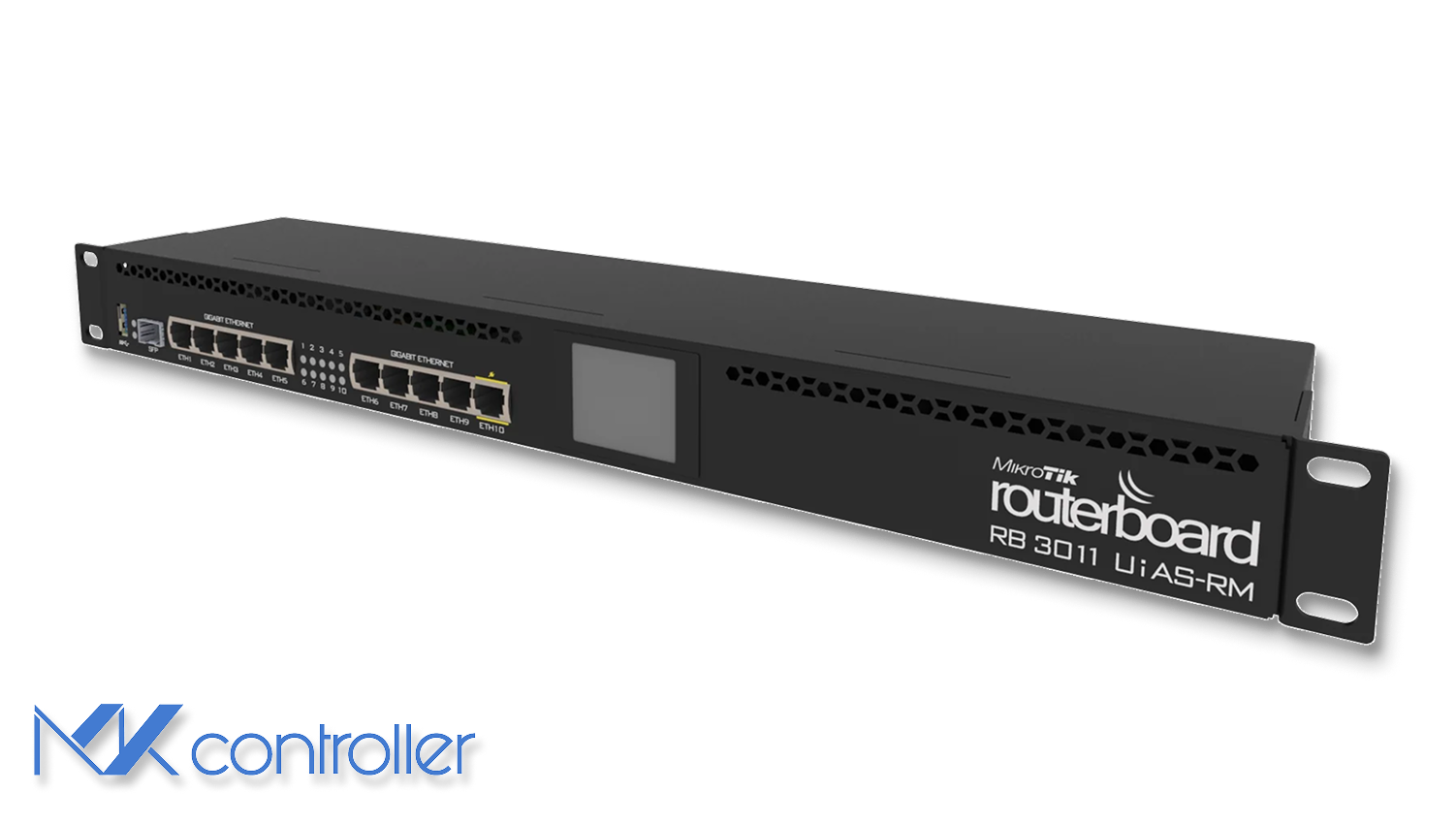
What is the MikroTik RB3011?
The MikroTik RB3011UiAS-RM is a dual-core ARM router with ten Gigabit Ethernet ports plus an SFP cage, designed as a cost-effective edge router for SMB networks and small ISPs. Internally it pairs a Qualcomm IPQ-8064 CPU at 1.4 GHz with two independent switch chips, each handling half of the ten Ethernet ports. The split-switch design reduces both cost and power consumption while keeping intra-switch forwarding fast, but it also creates the architectural constraints that define how the device performs under real-world load.
Other specs are equally pragmatic: 1 GB RAM, 128 MB NAND, passive cooling, PoE-in on Ether1, PoE-out on Ether10, and a small front-panel LCD for at-a-glance status. The chassis is rack-mountable, runs cool in most office environments, and tolerates ambient temperatures up to about 80 °C before lifespan becomes a concern.
Architectural strengths and limitations
The RB3011’s split-switch architecture is fast when traffic stays inside a single switch chip — hardware-offloaded forwarding hits wire speed with negligible CPU load. The catch is that anything crossing port groups, anything needing routing, anything needing NAT, anything needing firewall rules has to traverse the CPU. With two cores juggling routing, NAT, firewall, queueing, PPPoE, and VPN encryption, the CPU saturates faster than the port count suggests.
There’s a second constraint that matters: the link between each switch chip and the CPU is only 1–2 Gbps. The RB3011 cannot sustainably push full Gigabit routing on all ports simultaneously. For an SMB site that pushes a few hundred Mbps over the WAN, that’s irrelevant. For a small ISP serving multi-Gigabit aggregate traffic, it’s the headline number.
Throughput: what you actually get in production
MikroTik’s own RFC2544 benchmarks publish ideal routing throughput up to roughly 4 Gbps with 1518-byte packets when FastPath is enabled. That number is a theoretical ceiling, not a realistic expectation. Real-world internet traffic contains many small packets — DNS queries, TCP ACKs, control plane chatter — and small packets are what hit the CPU’s packets-per-second ceiling.
At 64-byte frames, throughput collapses to roughly 231 Mbps. The CPU runs out of cycles per second before it runs out of bandwidth per second. Mixed real-world workloads settle around 600–800 Mbps for routing-only scenarios. Adding NAT and a typical firewall rule set brings the number down to 300–600 Mbps depending on rule complexity and RouterOS version. RouterOS v7, which removed the route cache that v6 had, performs worse on older CPUs like the RB3011’s IPQ-8064 — a counter-intuitive result for operators who upgrade expecting better performance.
Tip: FastTrack is essential on the RB3011. Without it, routing-plus-NAT throughput often drops below 350 Mbps. It is not a “nice to have” — it is required for the platform to perform.
Firewall, queues, and CPU pressure
CPU-bound processing becomes obvious once you start adding firewall rules or queue trees. In MikroTik’s own tests, 25 firewall rules reduced throughput to roughly 60 Mbps at 64-byte packets. Even at larger packet sizes, throughput hovered below 500 Mbps. Queueing adds further cost: many setups observe 40–60% throughput loss under moderate queue loads.
The practical implication is straightforward — the RB3011 handles moderate filtering well but is the wrong device for heavy UTM-style workloads. If you need deep packet inspection, layer-7 filtering, or aggressive shaping at Gigabit speeds, the RB3011 will not get you there. The CCR2004 and CCR2216 lines are the right answer for that workload.
VPN performance: IPsec, PPPoE, OpenVPN
IPsec performance on the RB3011 is surprisingly good with large packets — up to roughly 780 Mbps thanks to ARM NEON acceleration. Drop to small packets and throughput falls to roughly 38 Mbps. Mixed real-world VPN workloads land around 300 Mbps.
PPPoE is single-threaded by design, so it maxes out one CPU core. Even with FastTrack enabled, expect roughly 500 Mbps. OpenVPN performs poorly because it lacks hardware acceleration and the TCP transport adds overhead — if you need a fast tunnel on this device, see our WireGuard on MikroTik tutorial, since WireGuard outperforms both OpenVPN and IPsec on most MikroTik hardware.
Practical optimization checklist
Get the most out of the platform with these six steps:
- Enable FastTrack for IPv4 traffic. Not optional.
- Use hardware-offloaded bridging where possible — it bypasses the CPU for switching.
- Minimize firewall rule count and complexity. Order rules so the most-hit rules are first.
- Avoid deep queue trees when shaping Gigabit links — every level of nesting costs CPU.
- Keep the device well-ventilated. Passive cooling tolerates a closed cabinet only so long.
- Align port usage so high-demand paths remain within the same switch chip.
For broader operational context, see our guide to NAT configuration on MikroTik and the SNMP-based monitoring tutorial for tracking RB3011 performance trends over time.
Take the next step
Operating a fleet of RB3011 devices means managing CPU saturation, firewall rule drift, and FastTrack consistency across many sites. The wrong rule order on one device shaves 200 Mbps off its throughput; the missing FastTrack rule on another caps it at 60% of capacity. You won’t notice until customers do.
MKController surfaces CPU saturation, throughput trends, configuration drift, and temperature data across every MikroTik in your inventory in one dashboard. When a device starts struggling — slowly, the way RB3011s often do — the dashboard sees it before the support tickets arrive.