
Review
MikroTik RB5009UG+S+IN Review
The MikroTik RB5009UG+S+IN is a quad-core ARM router with 10G SFP+, PoE in/out, and RouterOS v7 — built for ISP edges and SMB cores.
Summary The MikroTik RB5009UG+S+IN is a desktop-form quad-core ARM router built for ISPs and SMB cores: seven Gigabit Ethernet ports, one 10 Gbps SFP+ uplink, PoE in and out, and RouterOS v7 with hardware-accelerated routing. It hits a price-performance sweet spot for operators who need 10G uplinks without stepping up to a chassis-class router, and it integrates cleanly with the MKController platform for fleet management.
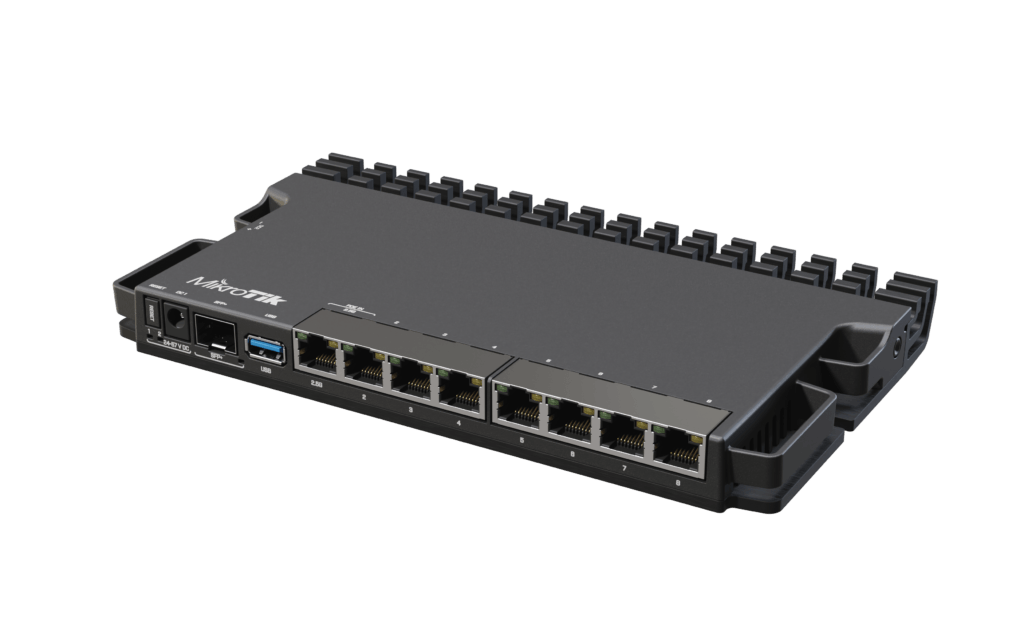
What is the MikroTik RB5009UG+S+IN?
The MikroTik RB5009UG+S+IN is a high-performance edge router from MikroTik’s RouterBOARD line, designed for ISPs, small operators, and SMB cores that need 10G uplinks, PoE flexibility, and the full RouterOS v7 feature set in a single 1U-friendly chassis. It runs a 1.4 GHz quad-core ARM CPU paired with 1 GB of RAM and exposes seven Gigabit Ethernet ports and one 10 Gbps SFP+ port.
What makes it stand out in the lineup is the combination of price, throughput, and PoE options. The “U+” in the model name indicates a passive PoE-out variant (the “UPr” line adds 802.3af/at), and the unit accepts power either over PoE-in or through the dedicated DC jack. For an ISP looking to standardize on a single edge device across many sites, it removes the “different model per site” friction that the smaller hAP and CCR variants impose.
Main specifications
| Spec | Value |
|---|---|
| CPU | 1.4 GHz Quad-core ARM (IPQ-8072A) |
| RAM | 1 GB DDR4 |
| Storage | 128 MB NAND |
| Ethernet | 7× Gigabit Ethernet |
| SFP+ | 1× 10 Gbps |
| PoE | PoE in + PoE out |
| Power | DC jack or PoE in |
| Operating system | RouterOS v7 |
| Form factor | Desktop, rack-mount compatible |
The 10G SFP+ uplink is what most operators upgrade for: it lets the router sit between a 10G provider handoff and a Gigabit LAN distribution without needing a separate 10G switch on the WAN side.
How does it perform in real networks?
The RB5009UG+S+IN handles high traffic volumes without thermal or CPU drama. The quad-core CPU sustains line-rate forwarding on Gigabit ports with NAT and a typical firewall ruleset enabled, and RouterOS v7’s hardware offload covers the routing fast paths so the CPU stays free for control plane work like BGP, dynamic routing, and queue management.
Where you’ll notice the platform’s headroom is at the edge of its envelope: heavy IPsec tunneling, deep QoS trees, or thousands of concurrent connection-tracking entries. The 1 GB RAM keeps connection tables comfortable; CPU is the bottleneck on encrypted throughput, where the platform tops out somewhere south of full line rate on a single tunnel.
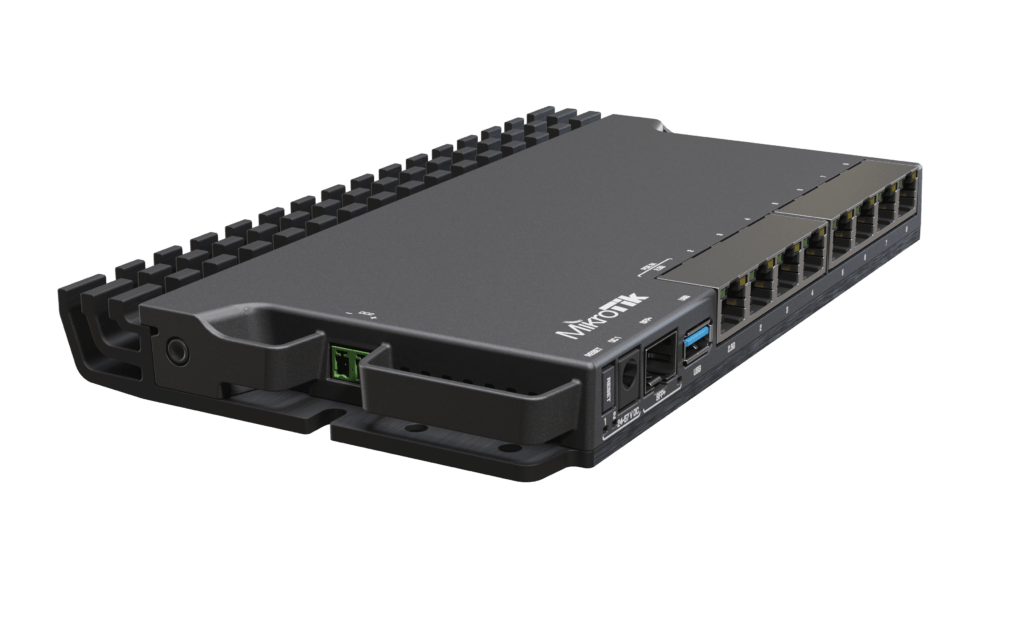
RB5009UG+S+IN with MKController
The RB5009UG+S+IN is fully compatible with MKController’s remote-management platform. Once registered, the router checks in over the MKController agent and exposes its state — CPU, traffic counters, interface health, configuration drift — to the central dashboard without static IPs, port forwarding, or VPN provisioning.
For an operator running this model across multiple sites, three integrations matter most. Centralized firmware orchestration upgrades the fleet on a schedule with rollback safety. Configuration history tracks every change with a diff trail so you can revert a bad edit in two clicks. And outage detection flags devices that drop off-network before customer tickets arrive. For background on the underlying remote-management options, see our VPS-based MikroTik management guide and the WireGuard remote management tutorial.
Is it worth investing in?
For operators sitting at the boundary between Gigabit and 10G uplinks, yes — the RB5009UG+S+IN is the natural choice. It out-performs the hAP-class devices by enough margin to be the right “boring default” at small ISP sites, and its PoE-in/PoE-out flexibility removes power planning headaches at locations where AC outlets are scarce.
It is not the right choice for: high-throughput IPsec aggregation (the CCR2004 and CCR2216 class hardware are better there), or for very dense routing tables with full BGP feeds (the CPU has the cycles but the platform is not optimized for full-table scenarios). For everything between those edges, it’s the model that ends up on the standard build sheet.
Tips
- Standardize the PoE configuration per port at the orchestration layer — drift on PoE-out priority causes intermittent powered-device reboots that look like cable faults.
- Watch the operating temperature when the router is fanless in a closed cabinet; the chassis is passive, and sustained high CPU produces meaningful thermal output.
- Pair it with the WireGuard VPN tutorial for a clean remote-access baseline before deploying at customer sites.
Take the next step
If the RB5009UG+S+IN is going to be your edge device of choice across multiple sites, the orchestration layer matters at least as much as the hardware. MKController is purpose-built for MikroTik fleets — configuration templates, automated firmware roll-outs, drift detection, and a dashboard that surfaces the one device misbehaving before anyone calls support.