
Review
MikroTik hEX RB750Gr3 Review
The MikroTik hEX RB750Gr3 is a five-port Gigabit edge router with full RouterOS — solid for SOHO, SMB branches, and managed CPE fleets.
Summary The MikroTik hEX RB750Gr3 is a compact five-port Gigabit Ethernet edge router with a dual-core 880 MHz CPU, 256 MB of RAM, and the full RouterOS feature set. It is the right tool for SOHO sites, SMB branches, retail locations, and managed CPE fleets — and the wrong tool for sustained heavy QoS, full BGP tables, or environments needing integrated Wi-Fi. This review covers the hardware, real-world throughput, the security pitfalls common to RouterOS, and how MKController turns a fleet of these into a manageable operation.
What is the MikroTik hEX RB750Gr3?
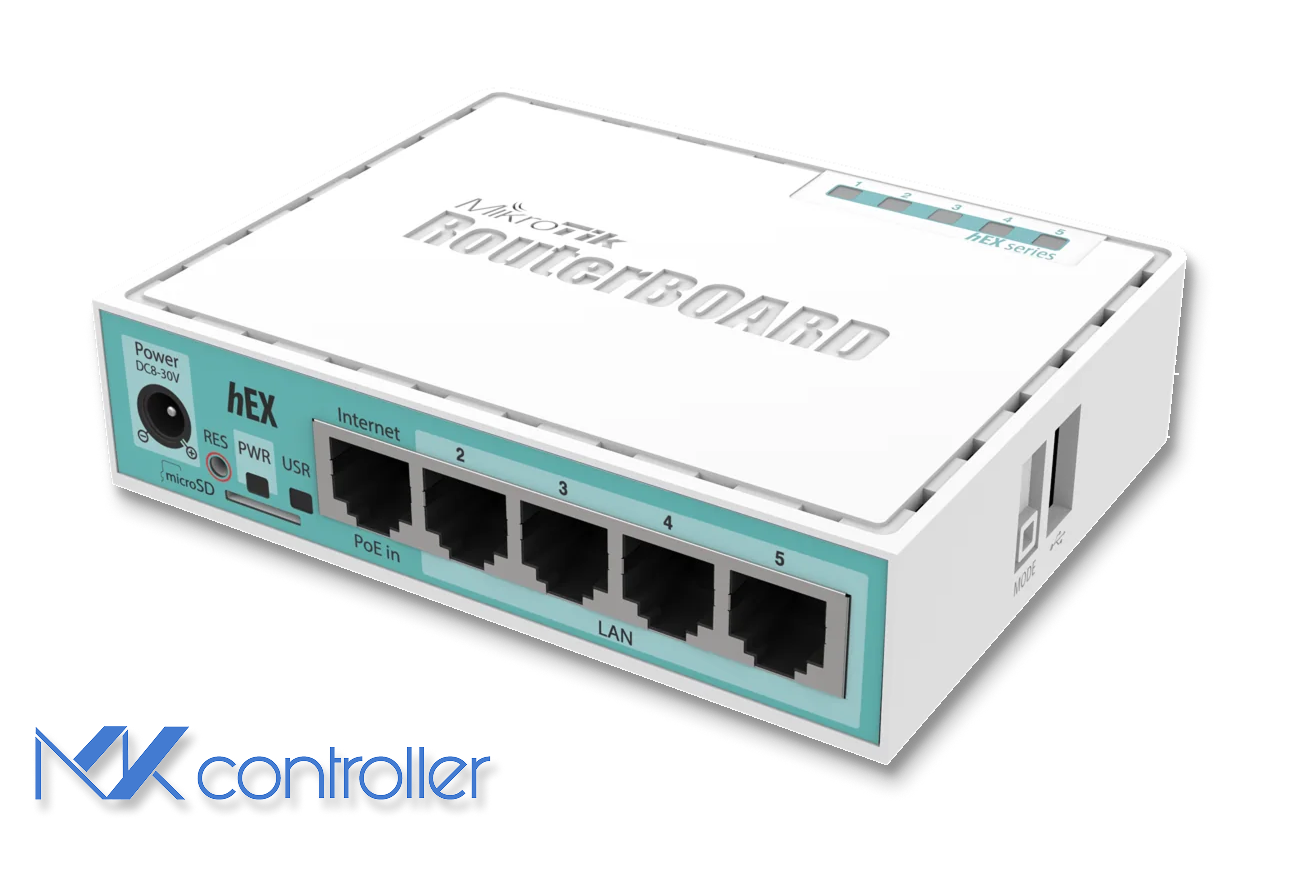
The MikroTik hEX RB750Gr3 is a small five-port Gigabit Ethernet router with a dual-core 880 MHz CPU, 256 MB of RAM, and silent passive cooling. It runs the full RouterOS v7 feature set — advanced routing, firewall, IPsec/WireGuard VPN, QoS, hardware-accelerated NAT, and a small Dude server for basic monitoring — at a price point that makes it practical to deploy at hundreds of branch sites without a hardware budget conversation.
You get five 10/100/1000 Mbps Ethernet ports, a USB 2.0 port, and a microSD slot for extra storage and logs. Power draw is a few watts and the device accepts either a standard DC adapter or passive PoE on ether1, which matters in tight cabinets or remote installations. Unlike the hAP line, the hEX has no built-in Wi-Fi — it is meant to be a wired edge router or firewall, typically paired with separate access points. Internally, an integrated switch chip handles wire-speed switching between ports in bridge mode; routing and policy work happen on the CPU.
Main specifications
| Spec | Value |
|---|---|
| CPU | Dual-core 880 MHz (MT7621A) |
| RAM | 256 MB DDR3 |
| Storage | 16 MB NAND + microSD |
| Ethernet | 5× Gigabit Ethernet |
| Wi-Fi | None (use separate APs) |
| PoE | PoE-in on ether1 |
| USB | 1× USB 2.0 |
| Power | DC jack or passive PoE |
| Operating system | RouterOS v7 |
| Form factor | Compact desktop |
The RouterOS feature set on this hardware is the headline. The same firewall, queue tree, BGP, OSPF, IPsec, and hotspot capabilities ship on the RB5009 — the hEX just runs them on a smaller CPU.
Real-world performance
In simple routing and NAT scenarios, the hEX pushes close to Gigabit line rate on a single port pair when FastPath and FastTrack handle the established flows. With large packets and a clean configuration, throughput hits 900+ Mbps with CPU headroom to spare.
Add work per packet and the picture shifts. Dozens of firewall rules, complex queue trees, or advanced QoS policies lower the throughput ceiling steadily, and at small 64-byte packets the CPU is the bottleneck — performance can drop dramatically because every packet runs the slow path. With a balanced ruleset and FastTrack on trusted flows, the hEX comfortably handles 100–500 Mbps broadband links and a fair share of Gigabit connections for typical office workloads, VoIP, and remote access.
On the VPN side, hardware-assisted IPsec lets the RB750Gr3 punch above its price class. With AES-128 and larger packets, encrypted throughput reaches a few hundred Mbps — enough for most branch sites, retail locations, and remote-worker connectivity when the WAN itself is not yet Gigabit. WireGuard performs even better on this CPU when v7 has good kernel support — see the WireGuard on MikroTik tutorial for setup.
Security risks you can’t ignore
RouterOS is powerful, which is also why it has had its share of security incidents. Devices historically shipped with default admin credentials and exposed management services, which made them easy targets when left on old firmware or with open Winbox or WebFig ports. Current RouterOS versions push you to set a password on first boot and ship a safer default firewall, but the recipe for trouble is unchanged: outdated firmware, weak credentials, and management services open to the WAN.
The hygiene checklist for hEX deployments:
- Keep RouterOS on a current stable or long-term release and track MikroTik security advisories.
- Close Winbox, WebFig, and the API on the WAN; reach the router via SSH over VPN or through a cloud controller.
- Use strong unique passwords or SSH keys and enable two-factor authentication where supported.
- Send logs to a central system so brute-force attempts and anomalies become visible.
For deeper coverage of the management-plane risks, see our Winbox security best practices article.
Why pair hEX deployments with a cloud controller
Managing one hEX on your desk is easy. Managing dozens spread across client sites, branches, and home offices is a different problem. That is where a cloud controller like MKController earns its keep. Instead of exposing Winbox or WebFig to the internet, each hEX establishes an outbound encrypted tunnel to MKController, and from there you proxy Winbox or WebFig sessions through the browser, check health metrics, see when devices go offline, and retrieve automatic configuration backups — all without touching port forwarding or public IPs.
A typical workflow: deploy the hEX with a secure template (updated RouterOS, locked-down firewall, VPN or MKController tunnel enabled); run the MKController adoption script on the router so it calls out and registers itself; use the MKController panel to open WebFig or Winbox, monitor CPU and memory and interfaces, and receive alerts when a device goes offline; let MKController pull regular config exports and backups so you can restore a router or clone its configuration to a spare unit. By moving day-to-day access into the controller, you stop needing static IPs, dynamic DNS tricks, or per-site VPNs just to manage boxes.
When the hEX is the right tool, and when it isn’t
The RB750Gr3 is excellent for small offices and home offices that need a reliable wired edge router with separate Wi-Fi, branch sites and retail stores needing secure VPN with modest bandwidth, MSPs wanting low-cost scriptable CPE hardware they can monitor centrally, and labs or training environments where engineers practice RouterOS features without buying expensive hardware.
Consider a bigger device when you need sustained Gigabit throughput with heavy firewalling, many VPNs, or advanced QoS; when you need integrated Wi-Fi, 10G uplinks, or IDS/content filtering; or when you’re routing full BGP tables (the 256 MB RAM is the constraint there — the RB5009 review is the right next step). For most organizations, the sweet spot is clear: hEX for cost-effective edge routing and VPN at small sites, MKController to make that fleet visible and easy to maintain.