
Review
MikroTik hEX dengan Manajemen Cloud
Pelajari posisi MikroTik hEX (RB750Gr3), batasan utamanya, dan bagaimana manajemen cloud MKController memudahkan pengelolaan router kecil.
Ringkasan
Pelajari bagaimana MikroTik hEX (RB750Gr3) digunakan dalam jaringan SOHO dan SMB, batasannya, serta bagaimana manajemen cloud MKController membantu mengelola, mengamankan, dan mengoperasikan router ini dengan risiko dan pekerjaan manual lebih sedikit.
MikroTik hEX dengan Manajemen Cloud MKController
Kenali MikroTik hEX RB750Gr3
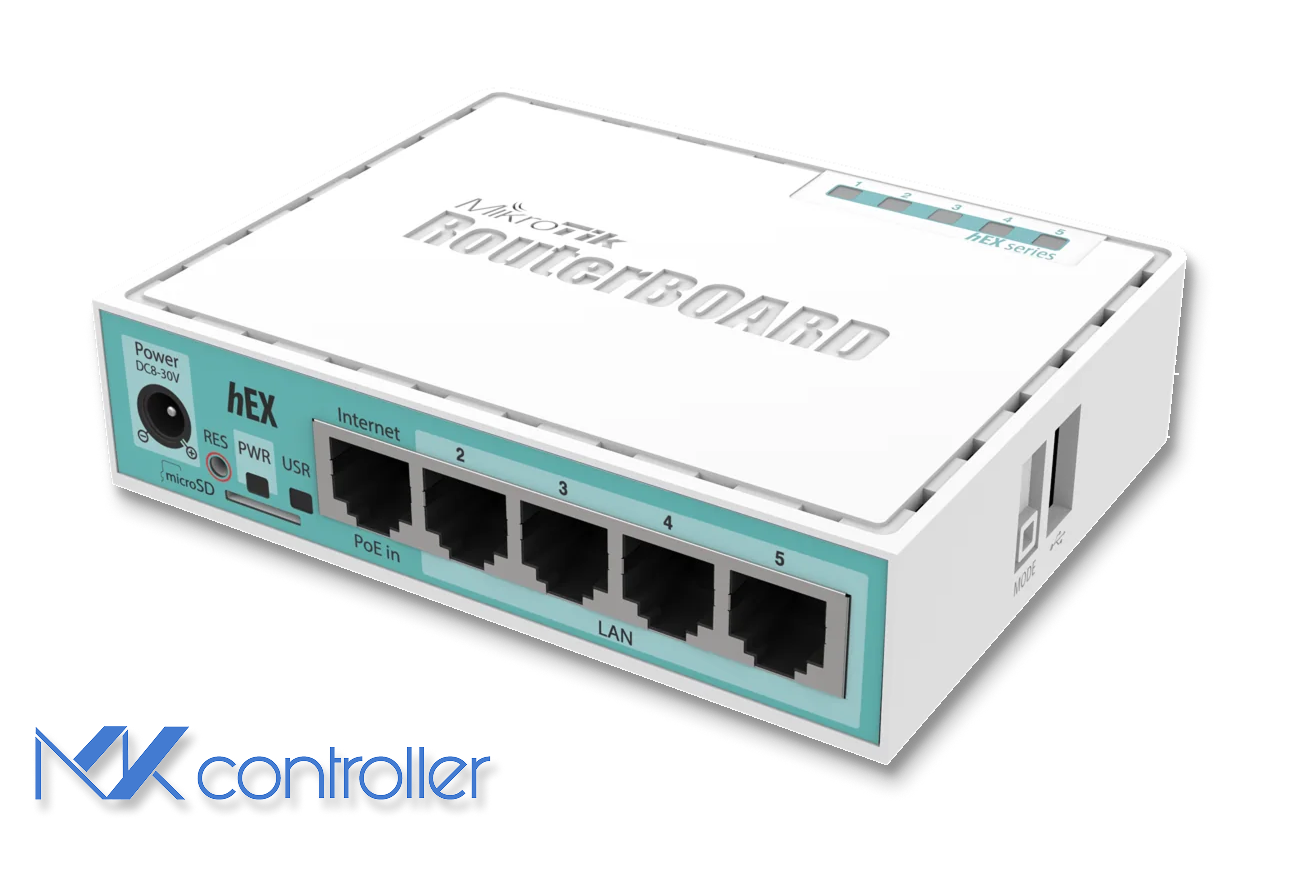
MikroTik hEX (RB750Gr3) adalah router kecil dengan lima port Gigabit Ethernet, CPU dual-core 880 MHz, RAM 256 MB, dan pendinginan pasif tanpa suara. Router ini menjalankan fitur lengkap RouterOS, meliputi routing lanjutan, firewall, VPN, QoS, bahkan server Dude kecil untuk monitoring dasar.
Anda mendapatkan lima port Ethernet 10/100/1000 Mbps, satu port USB 2.0, dan slot microSD untuk penyimpanan tambahan dan log. Daya konsumsi sekitar beberapa watt saja dan bisa diberi daya lewat adaptor DC standar atau PoE pasif di Ether1, praktis untuk instalasi di tempat sempit atau terpencil.
Berbeda dengan lini hAP, hEX tidak memiliki Wi-Fi built-in. Ini dirancang sebagai router atau firewall kabel di ujung jaringan, biasanya dipasangkan dengan access point terpisah. Chip switch terintegrasi memungkinkan switching kecepatan kabel antar port saat bridging, sementara routing dan pemrosesan berat masih bergantung pada CPU.
Catatan: Fleksibilitas ini kuat namun konfigurasi tidak ramah pemula. RouterOS menyediakan banyak opsi, sehingga idealnya dikelola teknisi atau pengguna mahir, bukan untuk harapan plug-and-play.
Untuk detail perangkat keras lengkap, Anda juga dapat melihat halaman produk resmi MikroTik hEX.
Performa dalam jaringan nyata
Dalam skenario routing dan NAT sederhana, hEX dapat mencapai kecepatan garis Gigabit pada pasangan port tunggal dengan FastPath dan FastTrack untuk aliran yang sudah ada. Dalam kondisi ideal, tes dengan paket besar menunjukkan throughput di atas 900 Mbps dengan kapasitas CPU cukup untuk lalu lintas SOHO dan SMB normal.
Saat Anda menambah beban per paket, kinerja turun. Menambahkan puluhan aturan firewall, antrian kompleks, atau kebijakan QoS lanjutan dengan cepat menurunkan throughput maksimum. Dengan banyak aturan filter, kinerja paket kecil 64-byte bisa turun drastis, hal ini wajar pada CPU kecil yang memproses tiap paket lewat jalur lambat.
Berita baiknya, dengan aturan seimbang dan FastTrack untuk lalu lintas tepercaya, hEX dapat menangani link broadband tipikal (100–500 Mbps) bahkan banyak koneksi Gigabit untuk beban kantor, VoIP, dan akses jarak jauh.
Di sisi VPN, IPsec berbantuan hardware memungkinkan RB750Gr3 menangani tunnel terenkripsi dengan sangat baik untuk kelas harganya. Dengan AES-128 dan paket besar, Anda dapat mencapai beberapa ratus Mbps throughput terenkripsi, cukup untuk banyak cabang, lokasi ritel, dan kebutuhan pengguna jarak jauh saat link WAN tidak Gigabit.
Risiko keamanan yang tak boleh Anda abaikan
RouterOS kuat dan fleksibel, namun itu berarti pernah ada celah keamanan dan kisah kesalahan konfigurasi. Sejarahnya, perangkat dikirim dengan kredensial admin default dan layanan manajemen terbuka, mudah jadi sasaran jika firmware lama atau port WinBox/WebFig terbuka.
Kini, RouterOS terbaru memaksa Anda membuat password saat boot awal dan mengaktifkan firewall default lebih aman. Namun, penyebab masalah tetap sama: firmware usang, kredensial lemah, dan antarmuka manajemen WAN terbuka.
Kebiasaan baik untuk hEX:
- Selalu gunakan RouterOS versi stabil atau long-term terbaru dan pantau advisori keamanan MikroTik.
- Tutup WinBox, WebFig, dan API di WAN; gunakan SSH lewat VPN atau cloud controller untuk akses router.
- Gunakan password kuat unik atau kunci SSH dan aktifkan autentikasi dua faktor bila memungkinkan.
- Catat aktivitas tidak biasa, kirim log ke sistem pusat agar upaya brute-force dan anomali terlihat.
Peringatan: Router edge yang disusupi bukan sekadar “satu perangkat lagi.” Bisa menjadi titik masuk ke LAN Anda, bagian botnet, atau pengintai lalu lintas pengguna.
Mengapa gunakan cloud controller seperti MKController
Mengelola satu hEX di meja mudah, tapi mengelola puluhan di banyak lokasi klien, cabang, dan kantor rumah berbeda ceritanya. Di sini cloud controller seperti MKController sangat berguna.
Daripada membuka WinBox atau WebFig ke internet, setiap hEX membuat tunnel terenkripsi keluar ke MKController. Dari sana, Anda bisa membuka sesi WinBox atau WebFig terproxied langsung dari browser, memantau kesehatan perangkat, melihat kapan offline, dan mengambil backup konfigurasi otomatis tanpa repot port forwarding atau IP publik.
Manfaat MKController: MKController menjaga konektivitas MikroTik Anda lewat tunnel aman, memusatkan monitoring, dan mengotomatiskan backup. Artinya port terbuka berkurang, login manual menipis, dan perubahan bisa dijalankan cepat ke banyak router kecil.
Alur kerja tipikal:
- Pasang hEX dengan template aman dasar: RouterOS terbaru, firewall terkunci, dan VPN atau tunnel MKController aktif.
- Jalankan skrip adopsi MKController di router untuk registrasi ke cloud.
- Gunakan panel MKController untuk buka WebFig atau WinBox, pantau CPU, memori, antarmuka, dan dapatkan peringatan saat perangkat offline atau melewati ambang.
- Biarkan MKController menarik ekspor konfigurasi dan backup secara reguler agar pemulihan atau penggandaan konfigurasi mudah dilakukan.
Dengan akses dan visibilitas harian pindah ke controller, kebutuhan IP statis, trik DNS dinamis, atau VPN per lokasi berkurang untuk manajemen perangkat.
Kapan hEX adalah alat yang tepat (dan kapan tidak)
RB750Gr3 cocok untuk beberapa skenario:
- Kantor kecil dan rumah dengan router edge kabel andal plus access point Wi-Fi terpisah.
- Cabang dan toko retail yang butuh koneksi VPN aman ke jaringan pusat dengan kebutuhan bandwidth sedang.
- Penyedia jasa yang ingin perangkat CPE murah, bisa scripting, dan dikelola terpusat.
- Lab, lingkungan pelatihan, dan lab rumahan untuk praktik fitur RouterOS tanpa beli perangkat mahal.
Ada juga situasi memerlukan perangkat lebih besar:
- Lingkungan yang perlu throughput Gigabit berkelanjutan dengan firewall berat, banyak VPN, atau QoS lanjutan.
- Jaringan yang butuh Wi-Fi terintegrasi, uplink 10G, atau fungsi keamanan canggih seperti IDS atau penyaring konten.
- Domain routing besar dengan tabel BGP penuh atau database routing dinamis sangat besar yang tidak nyaman di RAM 256 MB.
Tips: Anggap hEX seperti pisau Swiss-army kompak untuk routing edge. Hebat jika dipakai dalam batasnya, tapi bukan pengganti firewall lengkap atau router pusat data.
Bagi banyak organisasi, posisi ideal jelas: memanfaatkan hEX untuk routing edge dan VPN hemat biaya di lokasi kecil, lalu gunakan MKController untuk menjadikan armada tersebut terlihat, aman, dan mudah dipelihara. Jika kebutuhan bertambah, bisa pindah ke model MikroTik lebih besar sambil mempertahankan pendekatan manajemen cloud yang sama.
Tentang MKController
Semoga wawasan di atas membantu Anda lebih memahami dunia MikroTik dan Internet Anda! 🚀
Baik sedang menyetel konfigurasi atau berusaha merapikan jaringan, MKController hadir untuk mempermudah hidup Anda.
Dengan manajemen cloud terpusat, pembaruan keamanan otomatis, dan dashboard yang mudah dikuasai, kami siap meningkatkan operasi Anda.
👉 Mulai uji coba gratis 3 hari sekarang di mkcontroller.com — dan lihat bagaimana pengelolaan jaringan yang tanpa repot sebenarnya.