
Review
Огляд MikroTik CSS610-8P-2S+IN
Практичний огляд PoE-комутатора MikroTik CSS610-8P-2S+IN з 10G аплінками — VLAN на SwOS Lite, бюджет PoE, відсутність LLDP, керування.
Підсумок MikroTik CSS610-8P-2S+IN — це компактний безвентиляторний PoE-комутатор з вісьмома Gigabit-портами, двома 10G SFP+ аплінками та бюджетом PoE 140 Вт — потужний пристрій рівня доступу для офісів, клінік, мереж відеоспостереження та невеликих ISP. Працює на SwOS Lite, що зберігає його простоту й передбачуваність, але обмежує очікування хмарно-орієнтованих процесів керування. Цей огляд охоплює, що він робить добре, особливості SwOS, які варто знати (особливо відсутність LLDP), і моделі керування, які роблять його робочим на кількох майданчиках.
Що таке MikroTik CSS610-8P-2S+IN?
MikroTik CSS610-8P-2S+IN — це компактний комутатор доступу з вісьмома портами Gigabit Ethernet плюс виходом PoE, двома 10 Гбіт/с SFP+ аплінками й безвентиляторним металевим корпусом. Усередині працює один комутаційний ASIC з SwOS Lite — навмисно мінімальною операційною системою L2 замість повного RouterOS. Простота — це сенс: передача на швидкості дроту, придатний бюджет PoE, два 10G аплінки й нульовий акустичний слід.
Ви отримуєте надійний рушій L2-трафіку, який живить типові кінцеві пристрої. Ви не отримуєте RouterOS, розширеної автоматизації чи глибокої віддаленої програмованості. Якщо підходити до нього як до компактного L2 PoE-комутатора — а не як до маленького маршрутизатора з багатьма портами — ваші очікування збігатимуться з реальністю. Для повністю програмованих комутаторів на RouterOS дивіться серію CRS; маршрутизаційний аналог — у нашому огляді RB5009.
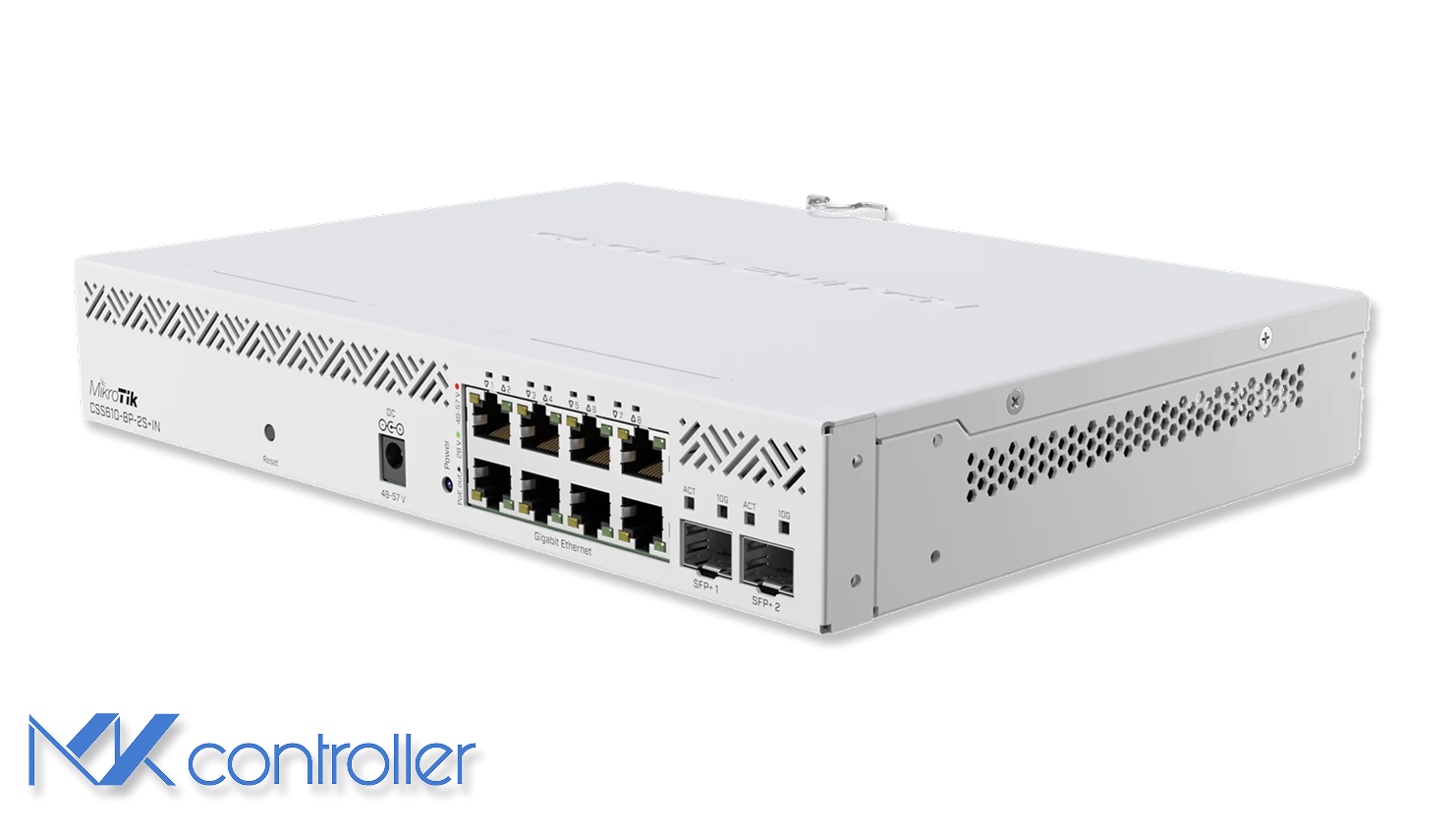
Важливі переваги обладнання
На папері CSS610 закриває те, що цікавить більшості середовищ SMB:
- Загальний бюджет PoE 140 Вт розподілений на 8 портів (802.3af/at плюс пасивні режими).
- Два 10G SFP+ аплінки для агрегації, серверів або швидшого ядра.
- Пасивне охолодження — корпус слугує радіатором, тому тихо й просто.
- Два входи живлення (AC + 48–57 В DC) для гнучкості й базової резервованості.
На практиці це ідеальне місце для офісів, клінік, малих ISP та мереж відеоспостереження, яким потрібно багато PoE-живлених кінцевих пристроїв і 10G аплінків у малому форм-факторі.
VLAN і сегментація на SwOS Lite
SwOS Lite підтримує VLAN IEEE 802.1Q, транки та ізоляцію портів, типові для розумного комутатора. Ключ — налаштовувати його свідомо, бо поведінка VLAN залежить від PVID і параметрів фільтрації.
Практичний підхід:
- Створіть необхідні VLAN ID (наприклад,
10для офісу,20для камер,30для гостей). - Позначте порти доступу як нетеговані учасники рівно одного VLAN.
- Позначте аплінк-порти (часто SFP+) як теговані учасники VLAN, які хочете нести.
- Увімкніть фільтрацію VLAN і перевірте ізоляцію між сегментами.
Тримайте окремий VLAN керування й уникайте керування комутаторами з користувацьких VLAN — це спрощує діагностику й зменшує ризик горизонтального руху. Якщо вищий пристрій — це маршрутизатор MikroTik (RouterOS), перевірте теговані VLAN:
/interface bridge vlanprint where bridge=bridge1І переконайтеся, що клієнти потрапляють у правильну підмережу:
/ip dhcp-server leaseprint where active=yesПродуктивність PoE та пастка LLDP
Бюджет PoE CSS610 — один із найсильніших аргументів. Живлення комбінації точок доступу, камер і телефонів зазвичай прямолінійне, і SwOS показує стан та споживання PoE по портах.
Головна пастка: SwOS Lite не реалізує LLDP. Невелика група пристроїв — особливо деякі точки доступу Cisco — покладається на LLDP або виявлення виробника, щоб запросити повну потужність PoE+. На CSS610 такі пристрої можуть переходити в режим зниженої потужності, навіть коли апаратура комутатора могла б дати більше. Заходи: рано протестуйте по одній одиниці кожного PoE-пристрою змішаних виробників, тримайте прошивку актуальною, документуйте пристрої, що потребують особливого підходу, і використовуйте сумісні PoE-інжектори для нечисленних вимогливих пристроїв, де обхідні шляхи неприйнятні.
10G SFP+ аплінки: швидкі, але стежте за температурою
Два порти SFP+ роблять CSS610 більшим, ніж він виглядає — 10G аплінки до ядра, NAS або маршрутизатора, не перетворюючи рівень доступу на вузьке місце. Компроміс типовий для компактного безвентиляторного обладнання: нагрів модулів. Оптичні модулі й DAC-кабелі поводяться добре. Мідні модулі 10GBASE-T SFP+ часто працюють дуже гаряче і в безвентиляторному корпусі можуть піднімати температуру до неприємно високих значень.
Простий орієнтир: для коротких з’єднань у стійці віддавайте перевагу DAC, для довших дистанцій — оптиці, а мідний SFP+ використовуйте лише коли справді треба — і тоді забезпечте комутатору повітряний потік.
Віддалене керування й очікування від хмари
Тут багатьом покупцям потрібна швидка перевірка реальності. CSS610 керують переважно через його локальний веб-інтерфейс. Він не пропонує RouterOS API/CLI й сам собою не поводитиметься як хмарно-орієнтований комутатор.
Все одно ви можете відповідально керувати ним між сайтами, поєднуючи його зі шлюзом RouterOS і хмарним контролером. Використовуйте маршрутизатор MikroTik як безпечну точку входу майданчика, дістаньтеся до веб-UI CSS610 через VPN або контрольований шлях віддаленого доступу та використовуйте SNMP для моніторингу (лінки, лічильники трафіку, базовий стан), навіть якщо зміни конфігурації залишаються ручними. Дивіться наш посібник з SNMP моніторингу для цієї моделі. MKController централізує керування пристроями RouterOS і слугує операційним вузлом для мереж із багатьма сайтами — CSS610 залишається надійним комутатором доступу за цим вузлом, а ваш маршрутизатор — це керована площина керування.
Коли CSS610 — правильний вибір
Оберіть CSS610-8P-2S+IN, коли потрібен тихий компактний PoE-комутатор з реальним PoE-бюджетом, VLAN-сегментація для мереж камер/VoIP/офісу/гостей, 10G аплінки без цін корпоративних комутаторів або стабільний рівень доступу, що не залежить від хмарного облікового запису виробника.
Натомість погляньте на варіанти CRS на RouterOS, якщо потрібне повноцінне хмарне виділення та шаблонування, CLI-автоматизація між комутаторами або функції L3 на самому комутаторі.
Зробіть наступний крок
Справжня перемога в мережах з багатьма сайтами не в тому, щоб вибрати правильний комутатор, — а в тому, щоб мати надійний крайовий комутатор і передбачувану площину керування в хмарі. MKController централізує моніторинг і операції RouterOS, дозволяючи комутаторам на кшталт CSS610 залишатися простими, стабільними й легко доступними, коли потрібно. Поєднайте CSS610 з нашим оглядом hAP ac² для топології доступу SOHO або з оглядом RB5009 для маршрутизаційного рівня над ним.