
Review
Огляд MikroTik hAP ac²
Практичний огляд MikroTik hAP ac² для майданчиків SOHO та SMB — функції, реальна продуктивність, налаштування Wi-Fi, безпека та межі.
Підсумок MikroTik hAP ac² (RBD52G-5HacD2HnD-TC) — це компактний чотириядерний ARM-маршрутизатор з дводіапазонним Wi-Fi і повним набором функцій RouterOS — досить доступний для домашніх офісів, досить потужний для невеликих філій. Це правильний інструмент для типових навантажень SOHO та SMB і неправильний інструмент для важкої агрегації VPN або тривалої фільтрації Gigabit. Цей огляд охоплює те, що він робить добре, де досягає меж, окупне налаштування Wi-Fi і контрольний список зміцнення перед розгортанням.
Що таке MikroTik hAP ac²?
MikroTik hAP ac² (RBD52G-5HacD2HnD-TC) — це компактний настільний маршрутизатор, побудований навколо чотириядерного ARM SoC Qualcomm IPQ-4018, з дводіапазонним Wi-Fi (2.4 ГГц і 5 ГГц), п’ятьма портами Gigabit Ethernet і повним набором функцій RouterOS. Ця комбінація знаходиться в ідеальній точці співвідношення ціна-продуктивність для майданчиків SOHO та SMB — “справжній маршрутизатор” з VLAN, файрволом, QoS, VPN і моніторингом у коробці, що тихо мешкає на книжковій полиці.
Для оператора, який обирає між hAP ac² і більшими MikroTik, питання просте: чи може він швидко маршрутизувати, залишатися стабільним і безпечним за реального навантаження? Для типових домашніх офісів, філіальних майданчиків і просьюмерських налаштувань відповідь — так. Для агрегації VPN з високою пропускною здатністю, глибокого QoS на швидкості лінії або повних таблиць BGP відповідь — ні — дивіться наш огляд RB5009 та огляд hEX RB750Gr3 для варіантів вищого рівня.
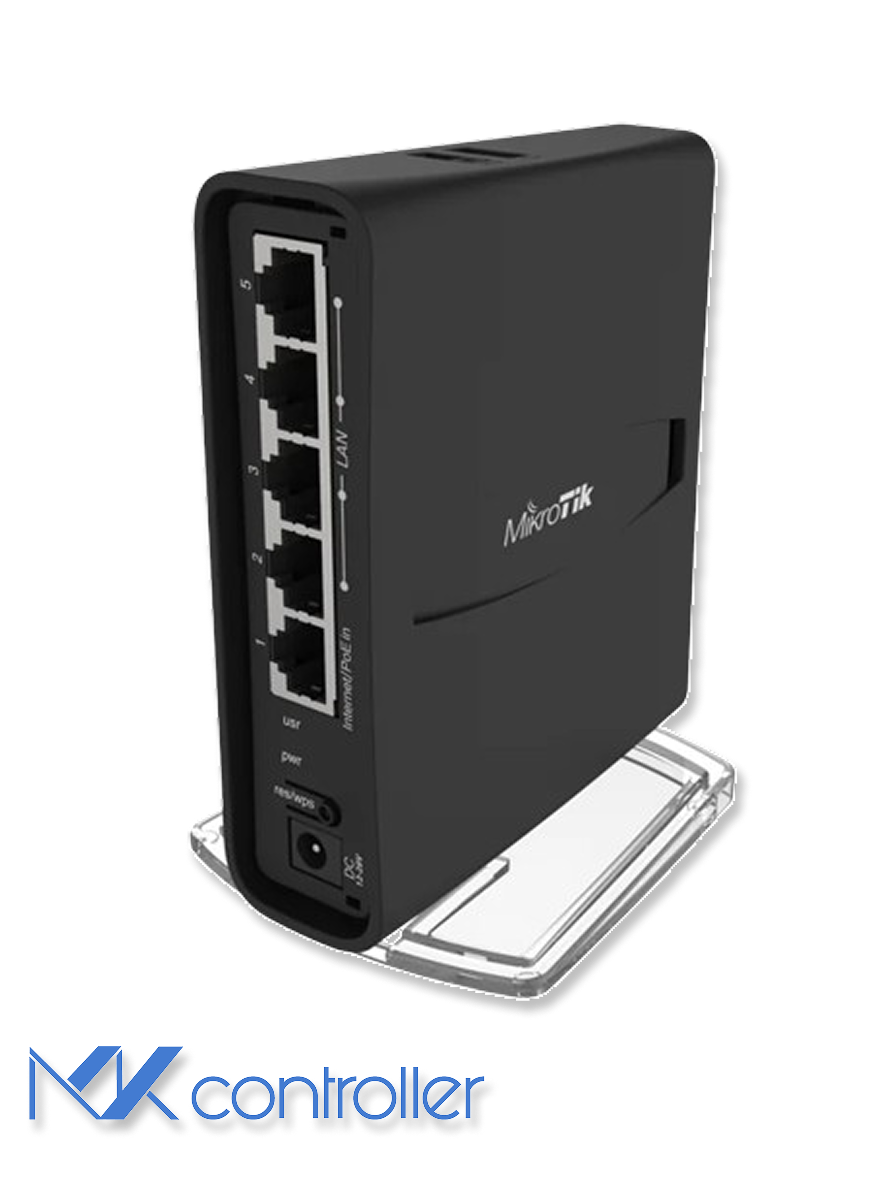
Апаратне забезпечення та архітектура
hAP ac² побудовано навколо сучасної ARM-платформи для його цінового класу: чотириядерний IPQ-4018, дводіапазонний Wi-Fi, п’ять портів Gigabit Ethernet і функції RouterOS, які зазвичай зустрічаються в значно більших пристроях. Найважливішими є три практичні наслідки:
- Функції маршрутизації багаті. VLAN, файрвол, QoS, VPN і моніторинг — усі доступні.
- FastTrack — велика перемога. Коли ваш шаблон трафіку підходить, FastTrack значно покращує пропускну здатність із меншим навантаженням на CPU — це найвпливовіший одиничний перемикач конфігурації.
- Wi-Fi здатний, не магічний. Надійний для квартир і малих офісів, але стіни і завади зрештою все одно перемагають.
Продуктивність у реальних мережах
Бенчмарки продуктивності часто читаються як табло. Важливіша щоденна поведінка. З базовим NAT плюс файрволом hAP ac² комфортно справляється з типовими широкосмуговими з’єднаннями. З важчими сервісами — кількома VPN-тунелями, глибокою перевіркою пакетів, складними деревами черг — CPU швидко зростає, бо кожен пакет проходить повільний шлях. FastTrack на довіреному трафіку звільняє CPU для всього іншого.
Практичне правило: якщо майданчику потрібно “корпоративне все” увімкнено одночасно, плануйте більший маршрутизатор. Якщо ваші потреби — типові SMB або просьюмерські, hAP ac² відчувається швидким.
Бездротове налаштування, яке справді допомагає
Дводіапазонний Wi-Fi — головна причина, чому більшість покупців обирають цю модель. 5 ГГц швидший, але з меншою дальністю; 2.4 ГГц поширюється далі, але часто перевантажений.
- Розмістіть маршрутизатор у відкритому просторі, а не всередині шафи.
- Надайте перевагу 5 ГГц для ноутбуків і телевізорів; залиште 2.4 ГГц для IoT.
- Використовуйте WPA2/WPA3; уникайте застарілого шифрування.
- Спочатку скануйте, потім виберіть найтихіший канал — не збільшуйте ширину каналу наосліп.
Зміцнення безпеки
Більшість інцидентів з маршрутизаторами — не zero-day. Це пропущені основи: стара прошивка, відкриті адмін-сервіси, слабкі паролі або дозвільні правила файрвола. Шаблон зміцнення, узгоджений з RouterOS:
/system package update check-for-updates/system package update download/system reboot
/ip serviceset telnet disabled=yesset ftp disabled=yesset www disabled=yesset www-ssl disabled=noset api disabled=yesset api-ssl disabled=yes
/ip firewall filteradd chain=input action=accept connection-state=established,related comment="allow established/related"add chain=input action=drop connection-state=invalid comment="drop invalid"add chain=input action=accept protocol=icmp comment="allow ping (optional)"add chain=input action=drop in-interface-list=WAN comment="drop WAN input by default"
Ніколи не виставляйте Winbox, SSH або WebFig безпосередньо в інтернет. Використовуйте VPN або довірену мережу управління — дивіться наші найкращі практики безпеки Winbox для ширшого плану зміцнення.
Коли hAP ac² — неправильний інструмент
Переходьте на більший MikroTik (CCR2004, RB5009), коли вам потрібна агрегація VPN з високою пропускною здатністю для багатьох користувачів, важкі черги і розширена фільтрація на насичених WAN, сильне покриття Wi-Fi на кількох поверхах без виділених AP, або ви плануєте увімкнути кожну CPU-інтенсивну функцію на Gigabit-каналі одночасно. У цих сценаріях спроектуйте майданчик з потужнішим маршрутизатором і виділеними точками доступу замість того, щоб просити hAP ac² робити все.
Поради
- Поєднайте hAP ac² з навчальним посібником WireGuard для чистого віддаленого доступу без накладних витрат OpenVPN.
- Налаштуйте DNS через HTTPS (дивіться наш посібник DoH), щоб зміцнити DNS-шлях LAN без витрат продуктивності.
- Задокументуйте керуючий VLAN та обмежені admin вихідні IP з першого дня — додавання пізніше складніше, ніж ви очікуєте.
Зробіть наступний крок
Навіть чудовий маршрутизатор стає головним болем, коли ви керуєте ним по одному. MKController централізує нудну-але-важливу роботу для багатьох пристроїв hAP ac²: стандартизовані шаблони конфігурації, статус усього парку та ключові метрики на одній панелі, послідовний стан прошивки та безпеки на різних майданчиках, і задокументовані шаблони, що замінюють племінні знання.
Якщо ви керуєте жменькою MikroTik, ручний режим працює. При п’яти, десяти або п’ятдесяти шар оркестрації окупається вже за першого запобігненого інциденту.