
Configure Payment Gateways (Card & Mobile Money)
Aquesta pàgina encara no està disponible en el teu idioma.
Summary Payment gateways let guests pay by card or mobile money using your own provider account, so the money settles directly to you. Connect Stripe, Asaas, or M-Pesa in the Integrations section, or sell over WhatsApp. Several more gateways — including Mercado Pago — are on a waitlist you can join.
What Are Payment Gateways?
Section titled “What Are Payment Gateways?”Beyond Pix, WiFi Monetization lets guests pay through a payment gateway you own. You connect your provider account once, and card or mobile-money payments settle directly to you under that provider’s terms — the 5% platform fee that applies to Pix does not apply here.
Gateways are configured per voucher, so different campaigns can use different providers.
Gateways You Can Connect Today
Section titled “Gateways You Can Connect Today”Four gateways are live and configurable now:
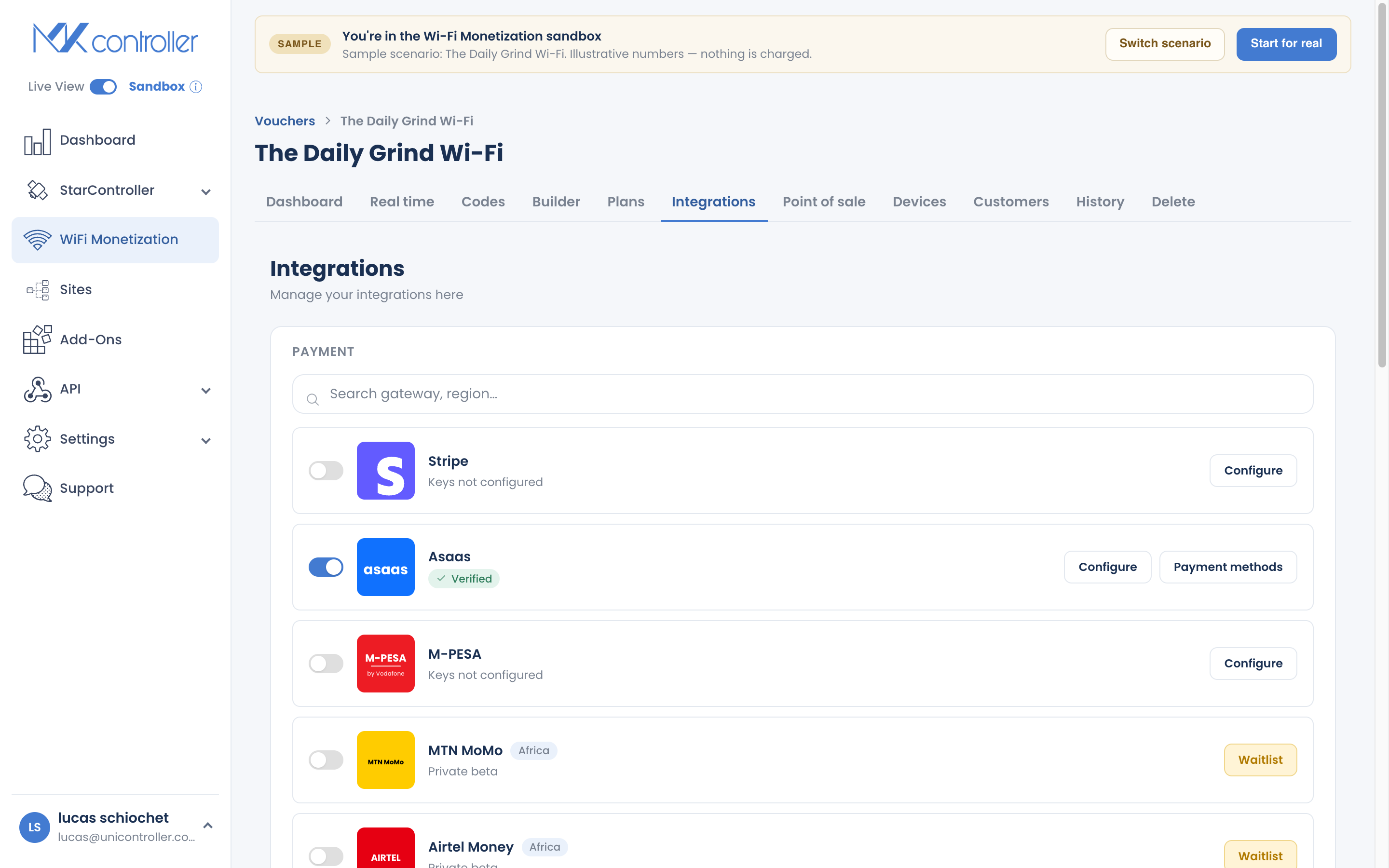
| Gateway | Best for | Guests pay by |
|---|---|---|
| Stripe | Card payments worldwide | Credit / debit card |
| Asaas | Brazilian operators | Card (and local methods) |
| M-Pesa | East Africa / mobile money | Mobile money wallet |
| OTT | Southern Africa (Lesotho) | Redeeming an OTT voucher |
How to Configure a Gateway
Section titled “How to Configure a Gateway”Step 1: Open Integrations
Section titled “Step 1: Open Integrations”In your voucher, open the Integrations section. Each gateway appears as a card showing whether its keys are set.
Step 2: Enter your credentials
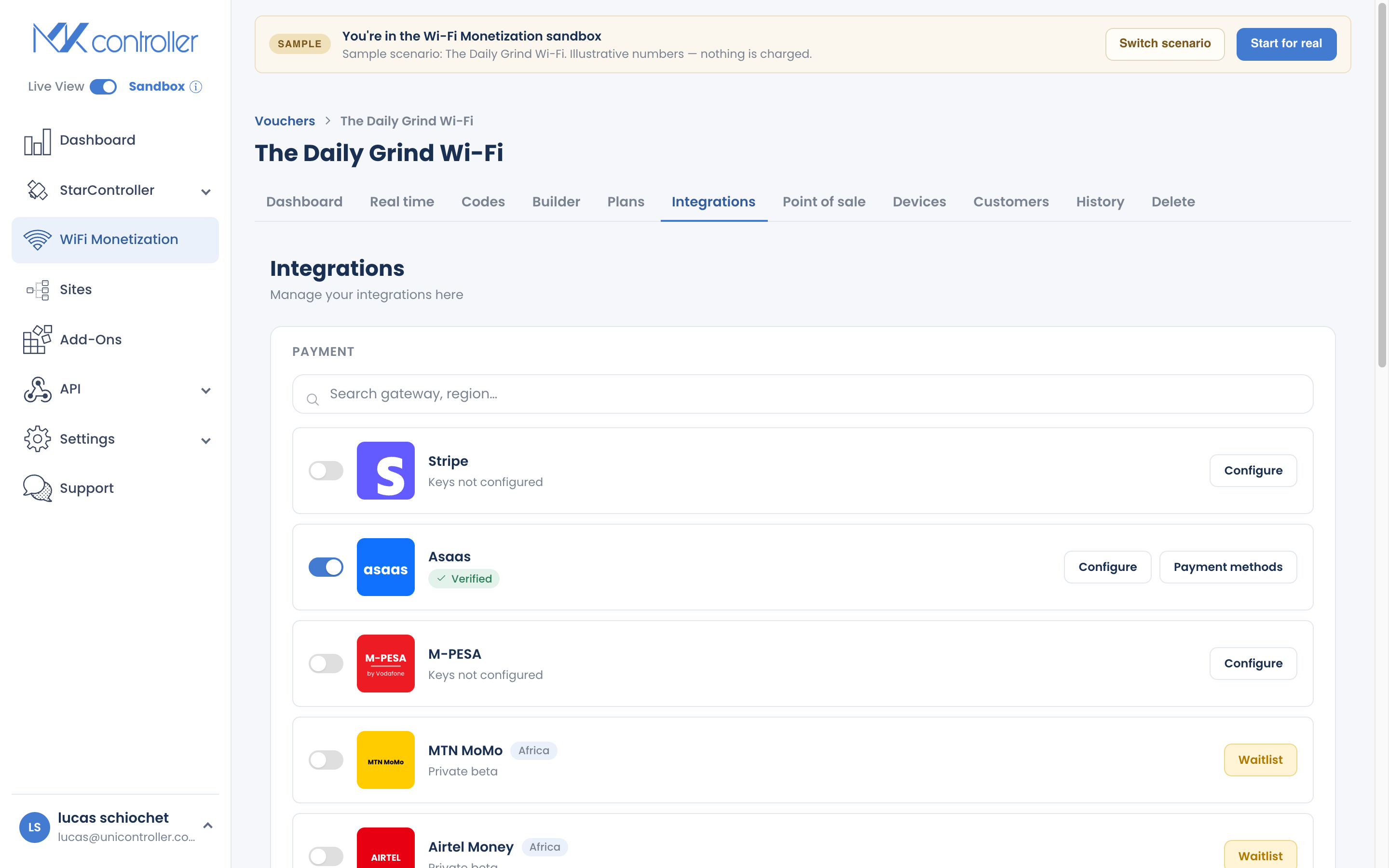
Section titled “Step 2: Enter your credentials”Open the card for your gateway and enter the API keys from that provider’s dashboard. Save — the card updates to show it is configured.
Step 3: Offer it to guests
Section titled “Step 3: Offer it to guests”Once a gateway is configured, guests can select card or mobile money when they buy a plan on the captive portal.
Selling Over WhatsApp
Section titled “Selling Over WhatsApp”WhatsApp is a simple, no-gateway option. Add a seller number in Payment Methods, and a guest who chooses WhatsApp gets temporary access and a link to message you. You arrange payment directly, then mark it paid or assign a plan from the Realtime screen. It is a good fit where cards and Pix are uncommon and a personal touch closes the sale.
More Gateways on the Way
Section titled “More Gateways on the Way”Additional gateways are in private beta and shown as a waitlist you can join. Joining tells the team there is demand in your market and gets you early access when they go live. They include:
MTN MoMo, Airtel Money, Orange Money, OPay, Mercado Pago, Paystack, EcoCash, AzamPay, ZenoPay, Pesapal, Relworx, Hallopesa, and M-Gurush.
To join, open the waitlist tile for the gateway you want and submit the request.
Which Should You Use?
Section titled “Which Should You Use?”- Selling in Brazil? Start with Pix — it is the fastest for guests — and add Asaas or Stripe for card payments.
- Selling in Africa or a mobile-money market? Connect M-Pesa, and join the waitlist for your local wallet (MTN MoMo, Airtel Money, and others).
- Selling internationally by card? Stripe is the broadest option.
- Small, in-person, or cash-first? WhatsApp and Point of Sale may be all you need to start.
You do not need every method. Turn on the one or two that fit your guests, launch, and add more only if real demand appears.
Frequently Asked Questions
Section titled “Frequently Asked Questions”Does the 5% Pix fee apply to gateway payments? No. Card and mobile-money payments through your own gateway settle under that provider’s terms. The 5% platform fee applies to Pix only.
Where does the money go? Directly to your connected provider account, not through MKController.
Can I use more than one gateway? Yes. Configure the gateways that fit your guests; they choose at checkout.
Is Mercado Pago available? Not yet — it is on the waitlist. Join it to register demand and get early access.
What if my country’s wallet isn’t listed as live? Join its waitlist tile. Live availability expands based on demand.
Explore next: Receive Pix Payments · Sell Cash with Point of Sale · Get Paid — Payout & Financeiro · Create & Sell Online Plans
Need a specific gateway? Talk to our team on WhatsApp or start your free MKController account.