Customize ISP Manager Billing E-mails
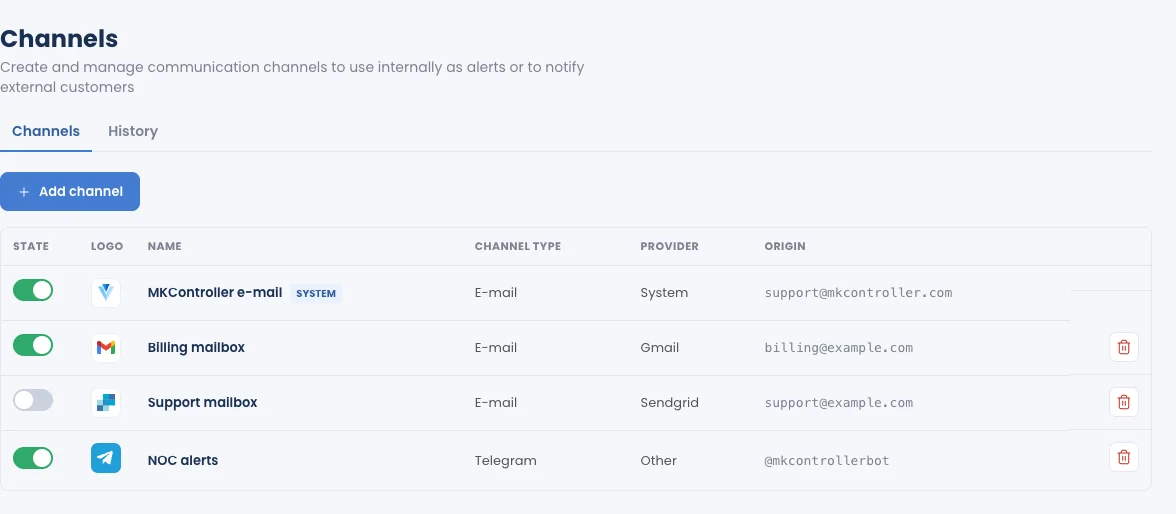
The Customization tab puts your logo, colours and name on every collection e-mail an operation sends; Integrations › Channels lets those e-mails go out from your own address. Open an operation and click Customization.
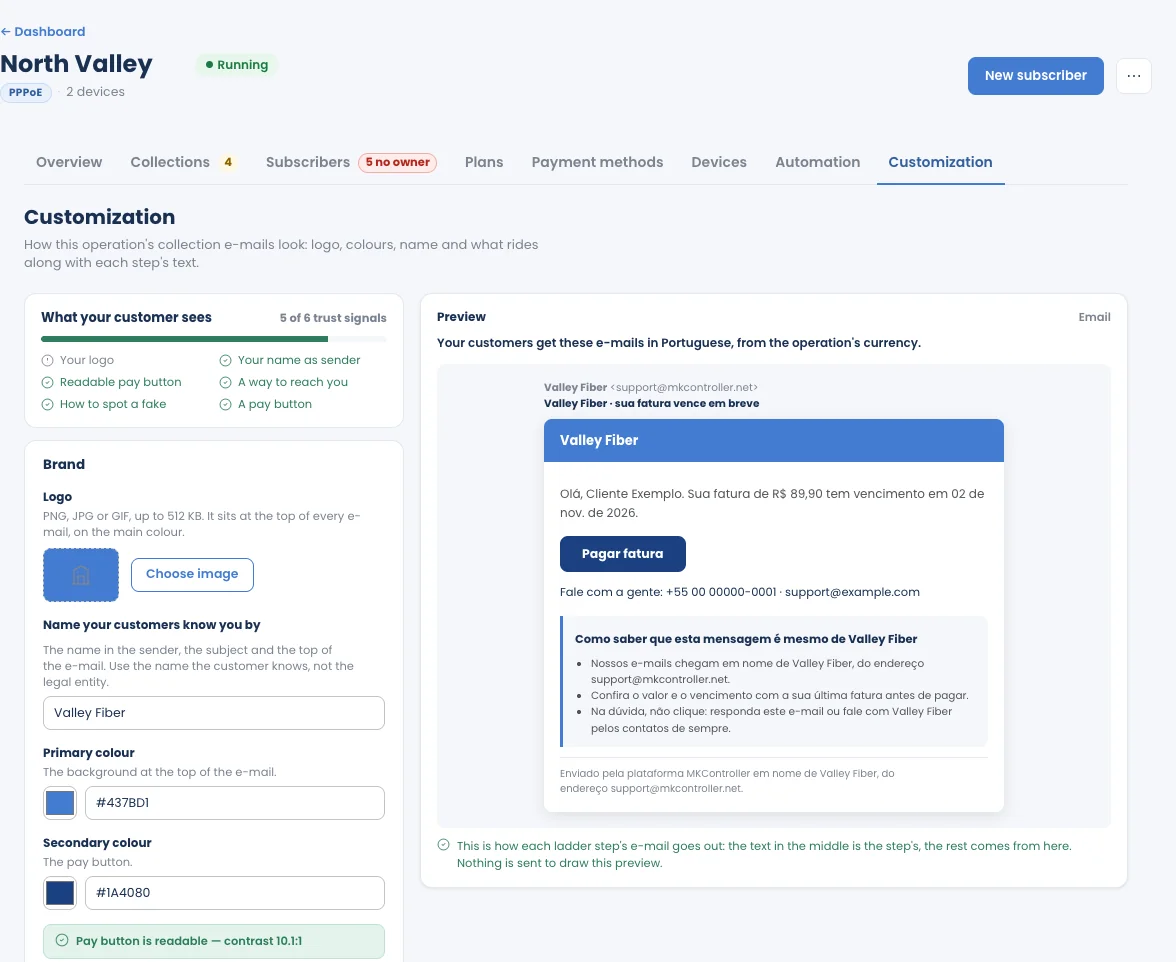
- Logo: PNG, JPG or GIF, up to 512 KB. It sits at the top of every e-mail, on the main colour.
- Name your customers know you by: used as the sender name, in the subject and at the top of the e-mail. Use the name customers know, not the legal entity.
- Primary colour: the background at the top of the e-mail.
- Secondary colour: the pay button. The tab checks that the button stays readable.
What your customer sees counts the trust signals the e-mail carries (your logo, your name as sender, a readable pay button, a way to reach you, how to spot a fake, a pay button).
Preview
Section titled “Preview”The preview is exactly the e-mail each collection step sends: the text in the middle is the step’s, the rest comes from this tab. Nothing is sent to draw the preview.
Which language subscribers get
Section titled “Which language subscribers get”Messages to subscribers are written in their language, which follows the operation’s currency, not the language you use MKController in:
| Operation’s currency | Subscribers’ language |
|---|---|
| Brazilian real (BRL) | Portuguese |
| Currency of a Spanish-speaking country (MXN, COP, ARS, CLP, PEN, UYU, PYG, BOB, VES, CRC, GTQ, HNL, NIO, DOP, CUP, PAB) | Spanish |
| Any other currency, including USD and EUR | English |
The currency is chosen when you create the operation.
Send from your own address
Section titled “Send from your own address”By default, billing e-mails are sent from the MKController address, in your name. To send them from your own address, so replies land in your inbox:
- Connect your e-mail account in Integrations › Channels (see Gmail or SendGrid).
- On the operation’s Automation tab, under Billing e-mail, click Connect my e-mail.