
ISP Manager Dashboard and Operation Overview
The Dashboard shows every operation you run and the month’s money at a glance; an operation’s Overview shows what needs you today and what happens this week. Open ISP Manager in the left menu to reach the Dashboard.
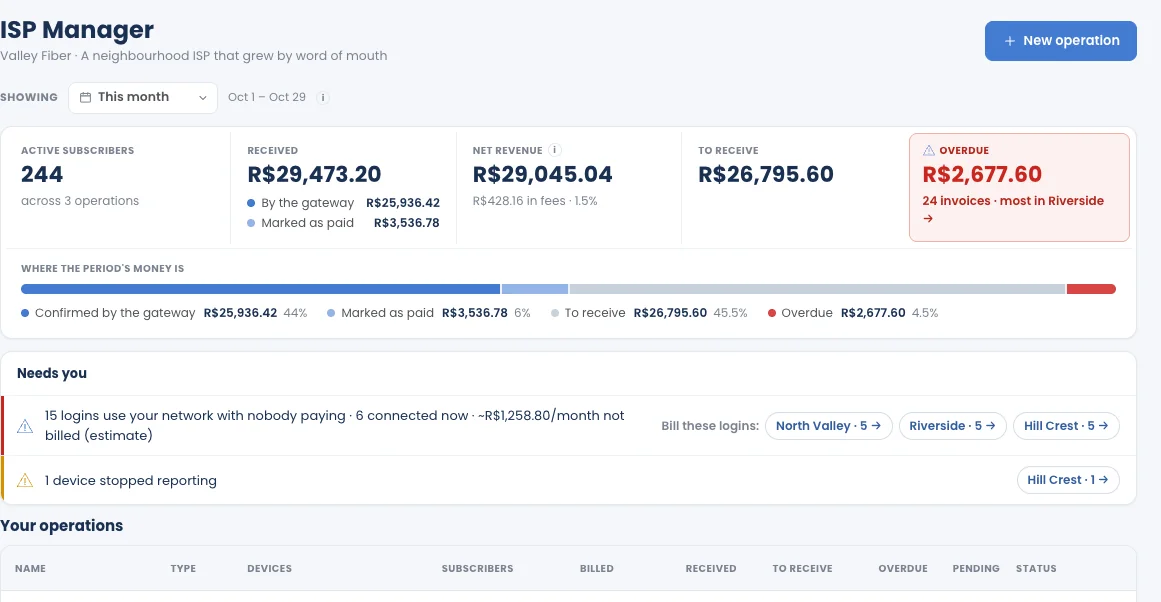
The Dashboard
Section titled “The Dashboard”Showing picks the period (for example, This month). Every figure follows it.
| Figure | What it means |
|---|---|
| Active subscribers | Subscribers across all your operations. |
| Received | Money received in the period, split into By the gateway and Marked as paid (by hand). |
| Net revenue | What you received, minus the gateway fees. |
| To receive | Invoices not yet due or not yet paid. |
| Overdue | Invoices past their due date, with how many and where most of them are. |
Where the period’s money is splits the total into confirmed by the gateway, marked as paid, to receive and overdue.
Needs you
Section titled “Needs you”The few things that need a decision, for example:
- Logins use your network with nobody paying: PPPoE logins on your routers with no subscriber behind them, with an estimate of what they cost per month. Click an operation to review them.
- A device stopped reporting: a router that no longer sends readings.
Your operations
Section titled “Your operations”One row per operation: Name, Type, Devices, Subscribers, Billed, Received, To receive, Overdue, Pending, Status. Click a row to open the operation.
The operation’s Overview
Section titled “The operation’s Overview”Open an operation to land on Overview. The header shows its name, its status and the number of routers; the tabs are Overview, Collections, Subscribers, Plans, Payment methods, Devices, Automation, Customization.
- Today: one line with what the collection steps will do today and what falls due this week.
- Needs you: logins with no owner, blocks scheduled for today, and other items to resolve.
- This week: each day from today, with what happens and how much falls due. Click a day to see its reminders, overdue notices and blocks; See 30 days opens a longer view.
Dates follow the operation’s collection steps and time zone.
On Basic
Section titled “On Basic”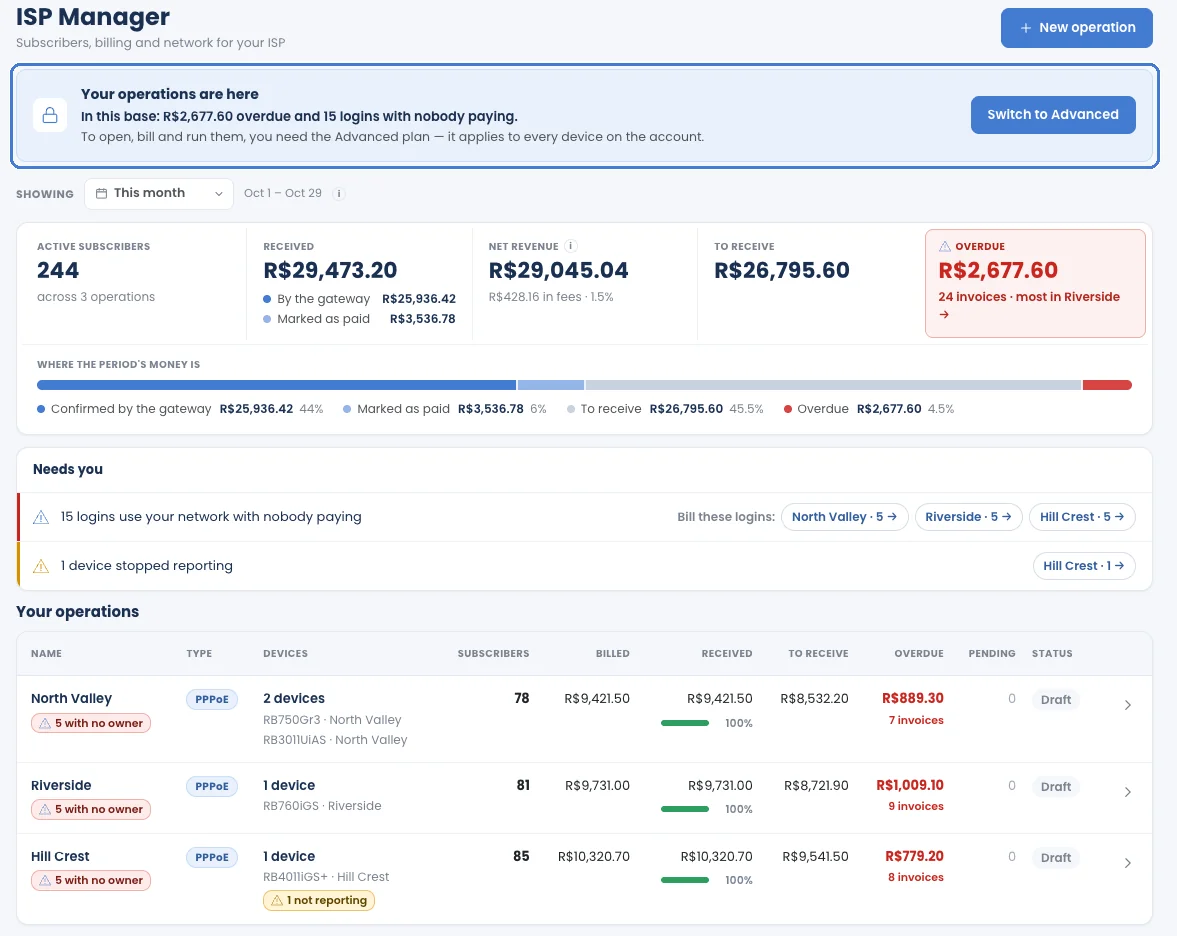
ISP Manager is not available on Basic. If you created operations earlier (on Advanced or during a trial), the Dashboard shows them in a locked, read-only list with their figures (subscribers, amounts, overdue). You can’t open them or create new ones. To open, bill and run them, subscribe to Advanced. See When your plan changes.