
Payment Methods in ISP Manager
An operation’s Payment methods tab decides how its subscribers pay: online through a link on each invoice, or outside the system with the payment marked by hand. Gateways themselves are connected once, for the whole company, in Integrations › Payments; this tab chooses what applies to this operation.
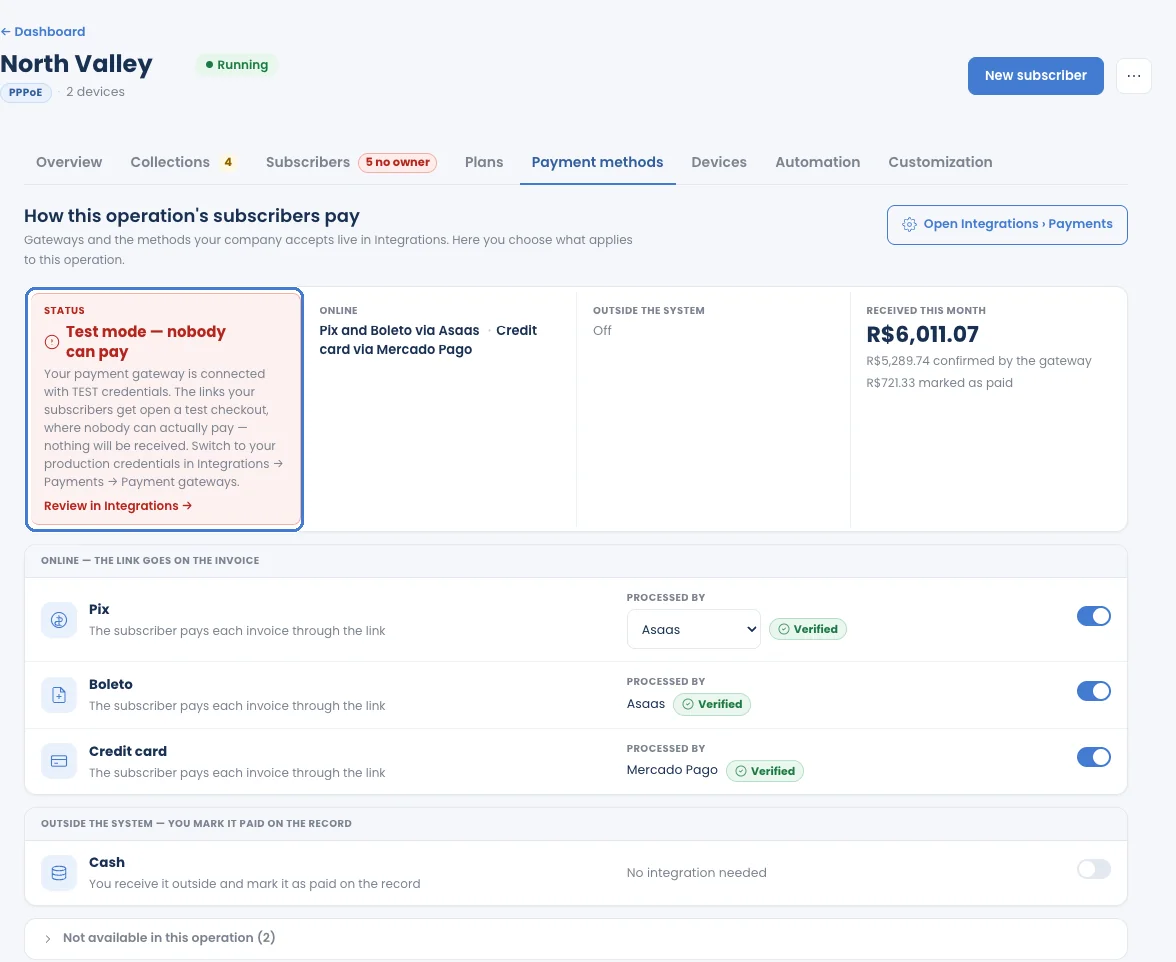
Online: the link goes on the invoice
Section titled “Online: the link goes on the invoice”Each online method shows which gateway processes it and whether that gateway is Verified. Switch a method on or off for this operation with its toggle. The subscriber pays each invoice through the link, and the gateway confirms the payment.
- Pix and boleto are available only for companies in Brazil.
- Card and other methods depend on what your connected gateway supports.
- Each operation charges in its own currency.
Outside the system: marked by hand
Section titled “Outside the system: marked by hand”Cash (and other payments you receive yourself) needs no integration: you mark the invoice as paid on the subscriber’s page with Record a payment or Mark as paid. If an operation has no gateway at all, every invoice is paid this way.
Test mode: nobody can pay
Section titled “Test mode: nobody can pay”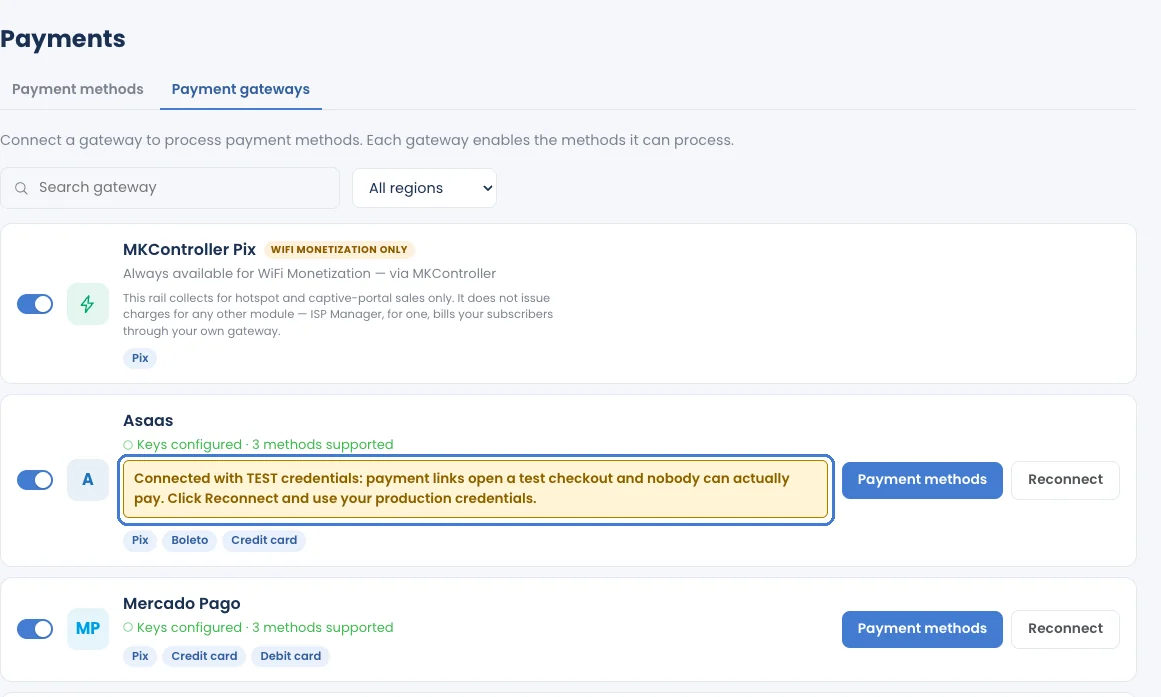
Connect a gateway
Section titled “Connect a gateway”Gateways are connected in Integrations › Payments: the Payment methods tab chooses which methods your company accepts, and the Payment gateways tab holds each gateway’s credentials. Click Open Integrations › Payments on this tab to go there. Step-by-step guides:
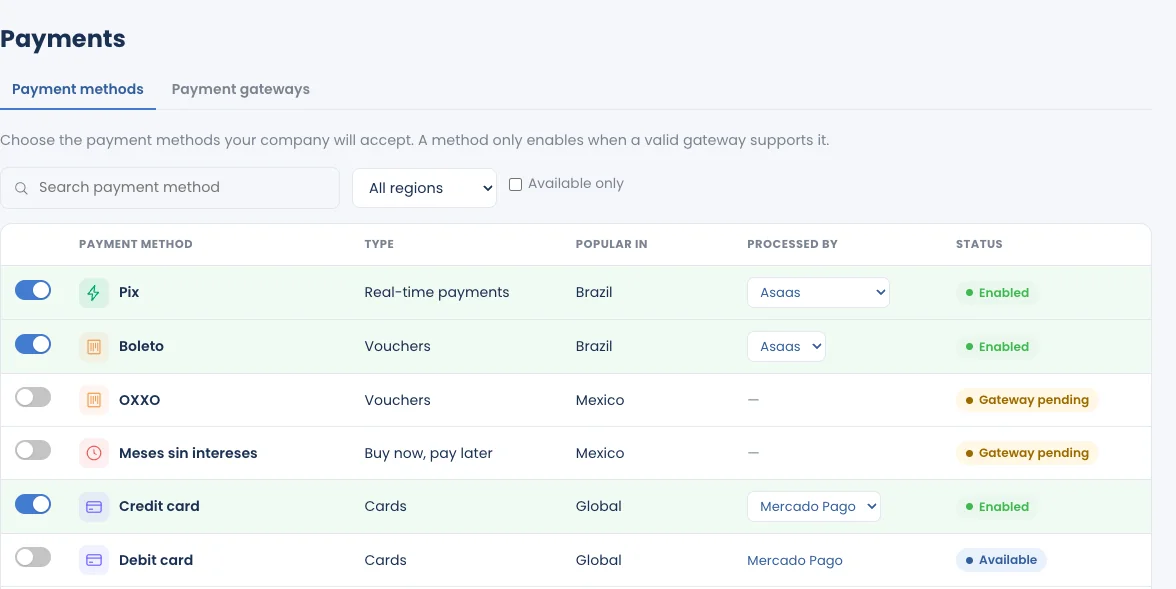
The same gateway serves ISP Manager and WiFi Monetization. MKController Pix is for WiFi Monetization only: ISP Manager always bills your subscribers through your own gateway.