
Plans and Devices in ISP Manager
Plans are what you sell: each one is a PPPoE profile your routers already carry, with your price on it. Devices are the routers that serve an operation’s subscribers. Neither tab changes a router’s configuration.
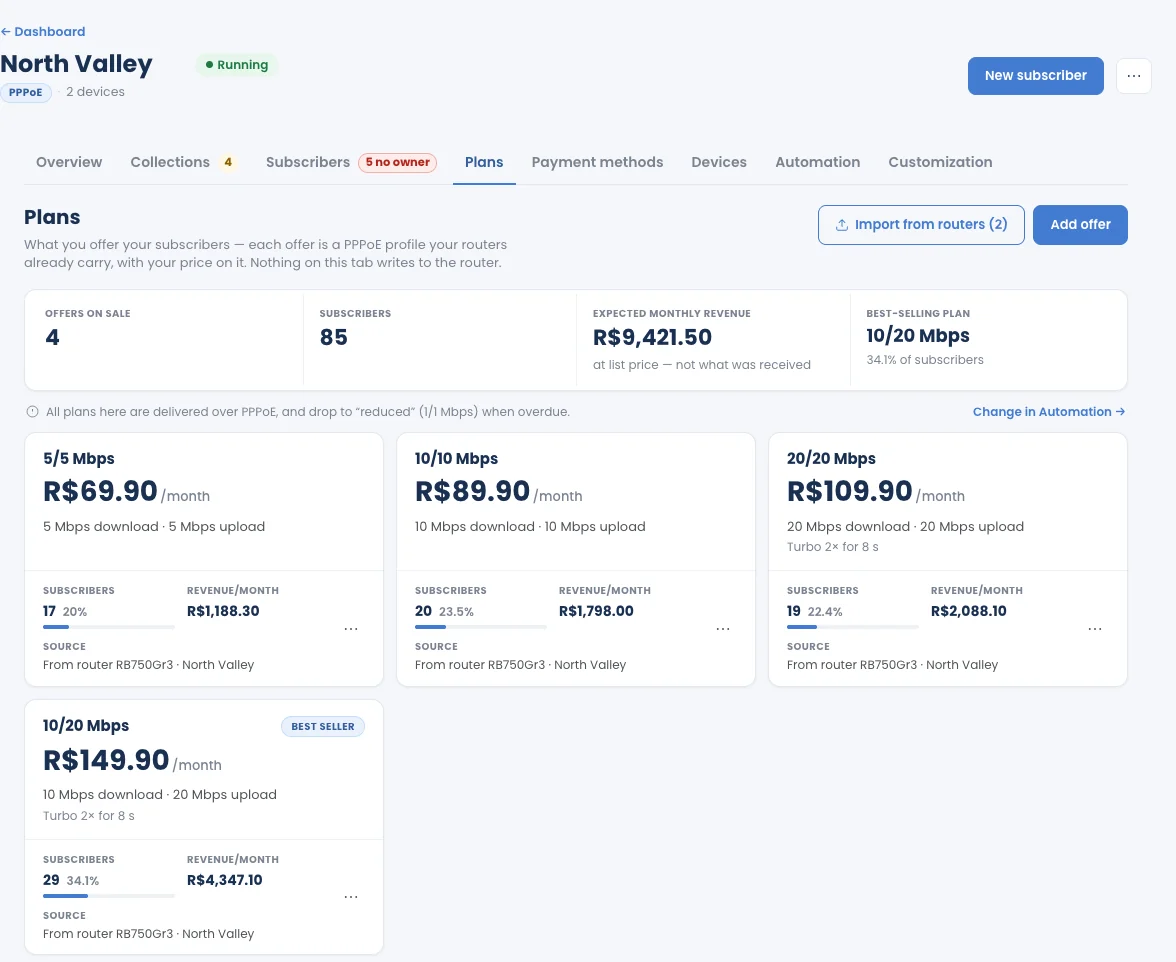
Open an operation and click Plans. At the top: Offers on sale, Subscribers, Expected monthly revenue (at list price, not what was received) and the Best-selling plan.
Each plan card shows its monthly price, Download and Upload in Mbps, its subscribers, its revenue per month and the router it came from. Use the card’s ⋯ menu to edit it or take it off sale.
- Add offer: create a plan by hand.
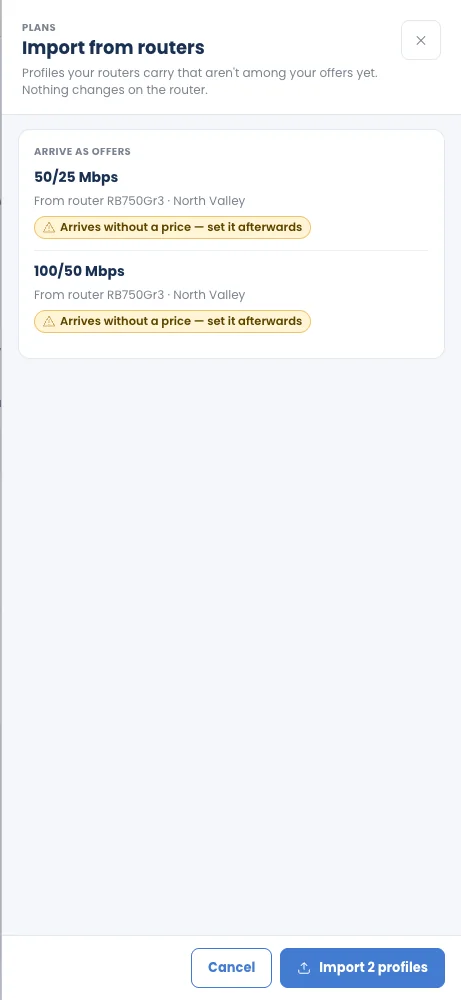
- Import from routers: bring in PPPoE profiles from the operation’s routers that aren’t offers yet. They arrive without a price; set it afterwards. Nothing changes on the router.
All plans are delivered over PPPoE. Overdue subscribers drop to the reduced-speed profile set for the operation; Change in Automation takes you there.
Split by profile
Section titled “Split by profile”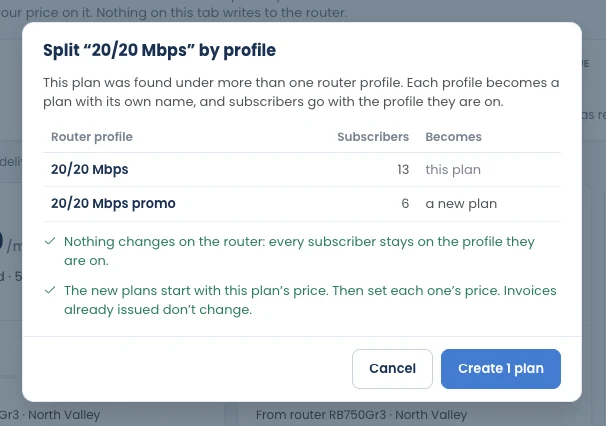
Use it when one plan was found under more than one router profile: click the plan’s ⋯ › Split by profile…. Each profile becomes a plan with its own name, and subscribers go with the profile they are on.
- Nothing changes on the router: every subscriber stays on the profile they are on.
- The new plans start with the original plan’s price; then set each one’s price. Invoices already issued don’t change.
- Subscribers on none of those profiles (reduced speed or no connection) stay on the original plan; change their plan by hand if needed.
- A plan with a single profile, or the reduced-speed profile, has nothing to split.
Duplicate a plan
Section titled “Duplicate a plan”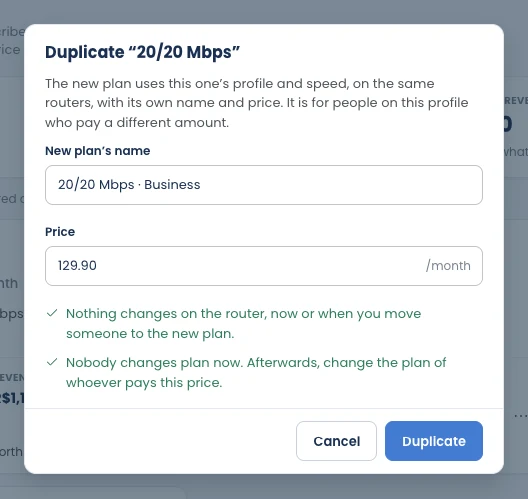
Use it when people on the same profile pay different amounts: click the plan’s ⋯ › Duplicate plan…, give the new plan its own name and price, and click Duplicate. The new plan uses the same profile and speed, on the same routers.
- Nothing changes on the router, now or when you move someone to the new plan.
- Nobody changes plan automatically. Afterwards, change the plan of each subscriber who pays the new price (one by one, or several at once with Change plan on the Subscribers tab).
Devices
Section titled “Devices”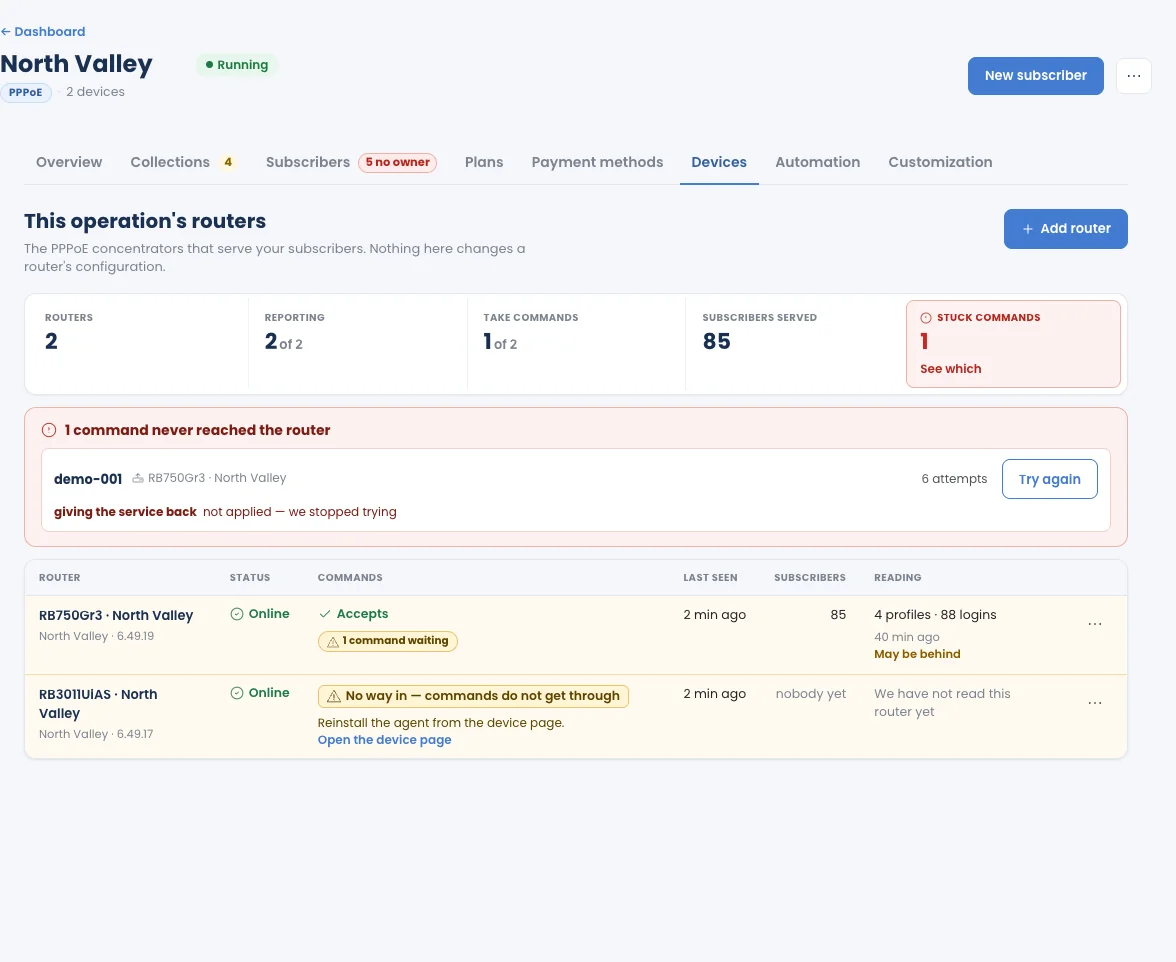
Click Devices to see the PPPoE concentrators that serve this operation.
| Figure | What it means |
|---|---|
| Routers | Routers in this operation. |
| Reporting | Routers that are sending readings. |
| Take commands | Routers that accept the commands the collection steps send (reduce speed, block, restore). |
| Subscribers served | Subscribers on these routers. |
| Stuck commands | Commands that never reached a router. |
For each router: Status, whether it accepts Commands, Last seen, Subscribers, and the last Reading of its profiles and logins.
Add router brings another adopted MikroTik into the operation.