
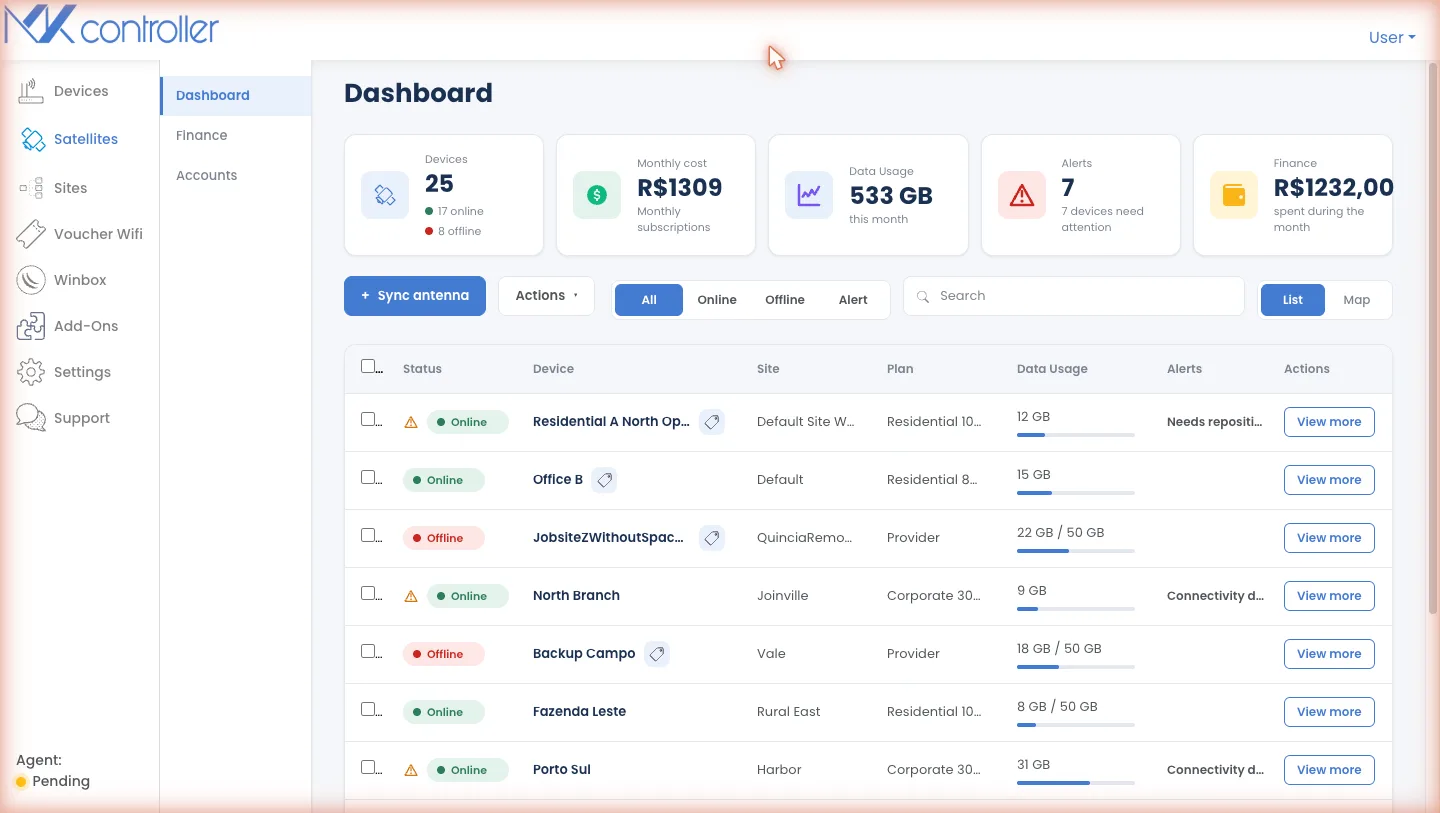
Run your entire Starlink fleet from one screen.
Run more than one antenna and the cracks start to show.
Satellite internet is easy to buy and hard to operate. Past the first terminal, the day-to-day quietly turns into risk.
You find out from the customer. A terminal reports healthy while the site sits down — and no one knows until the phone rings.
Nobody owns the answer. Accounts scattered across logins and vendors, and no single answer to “which sites are up right now?”
Access never expires. Contractors get standing account credentials that no one tracks, narrows, or revokes.
The bill arrives too late. Invoices and data overages surface after the spend, not before — and a missed one can take a site dark.
One operations layer across every site.
The single-pane discipline the team behind MKController proved on thousands of MikroTik devices — now for your Starlink fleet.
See every site
Every terminal mapped by site with current status — online, offline, or needs attention — so an outage is yours to catch, not the customer’s to report.
Govern field access
Issue an ephemeral, time-limited Starlink session for a technician instead of sharing your standing account password.
Billing under control
Overdue, open and on-time status across every terminal, with invoices and spend reconciled per site.
Site, not just antenna
Pair satellite status with your MikroTik / UniFi router context, so a green dish never hides a site that is actually down.
From a green dot to the site it serves.
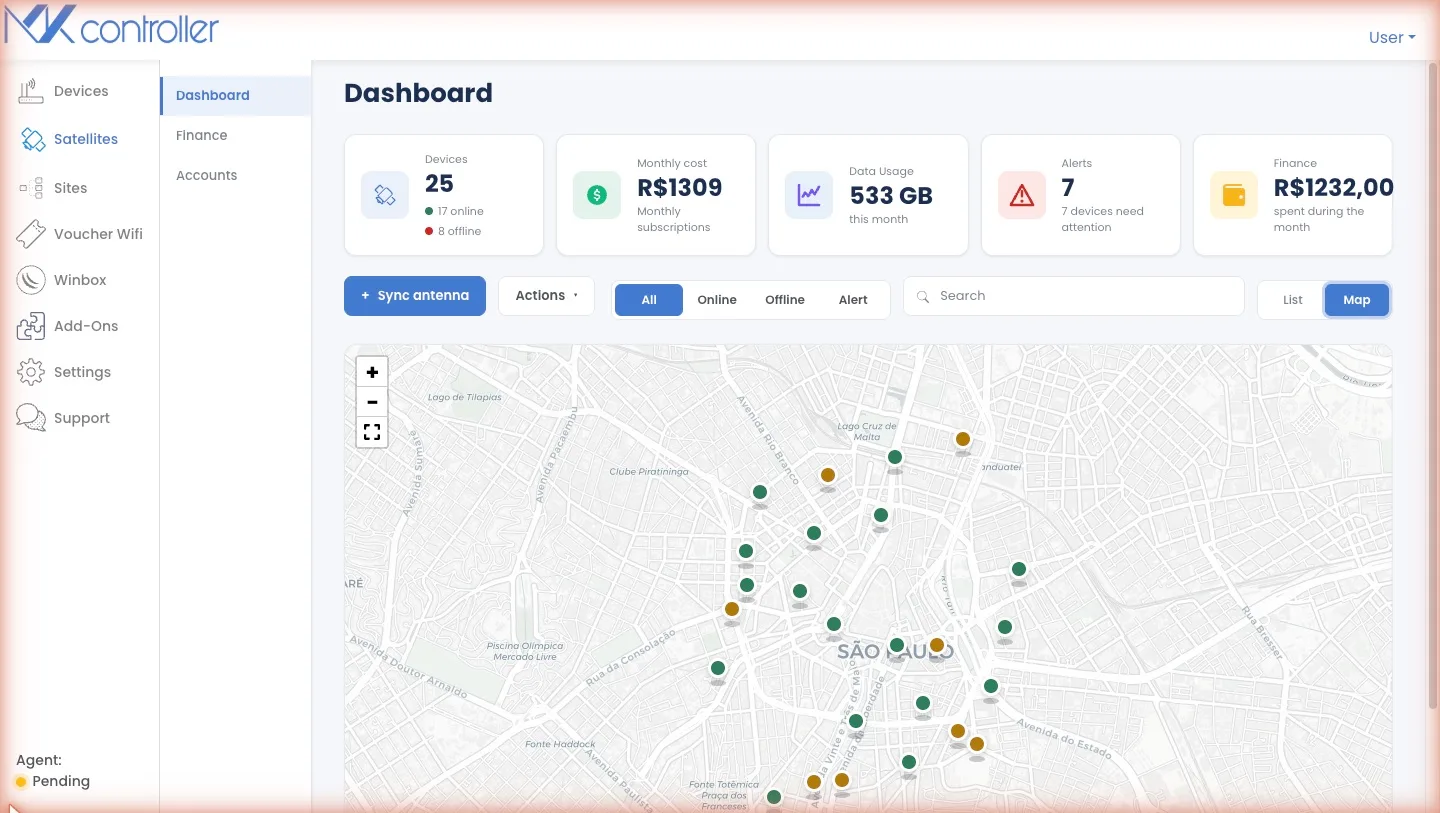
See which site is down, the moment you look.
Every terminal is mapped by site with its current status. Spot the outage on one screen, identify the site it serves, and respond before it becomes a support ticket — backed by minute-level availability tracking from MKController.
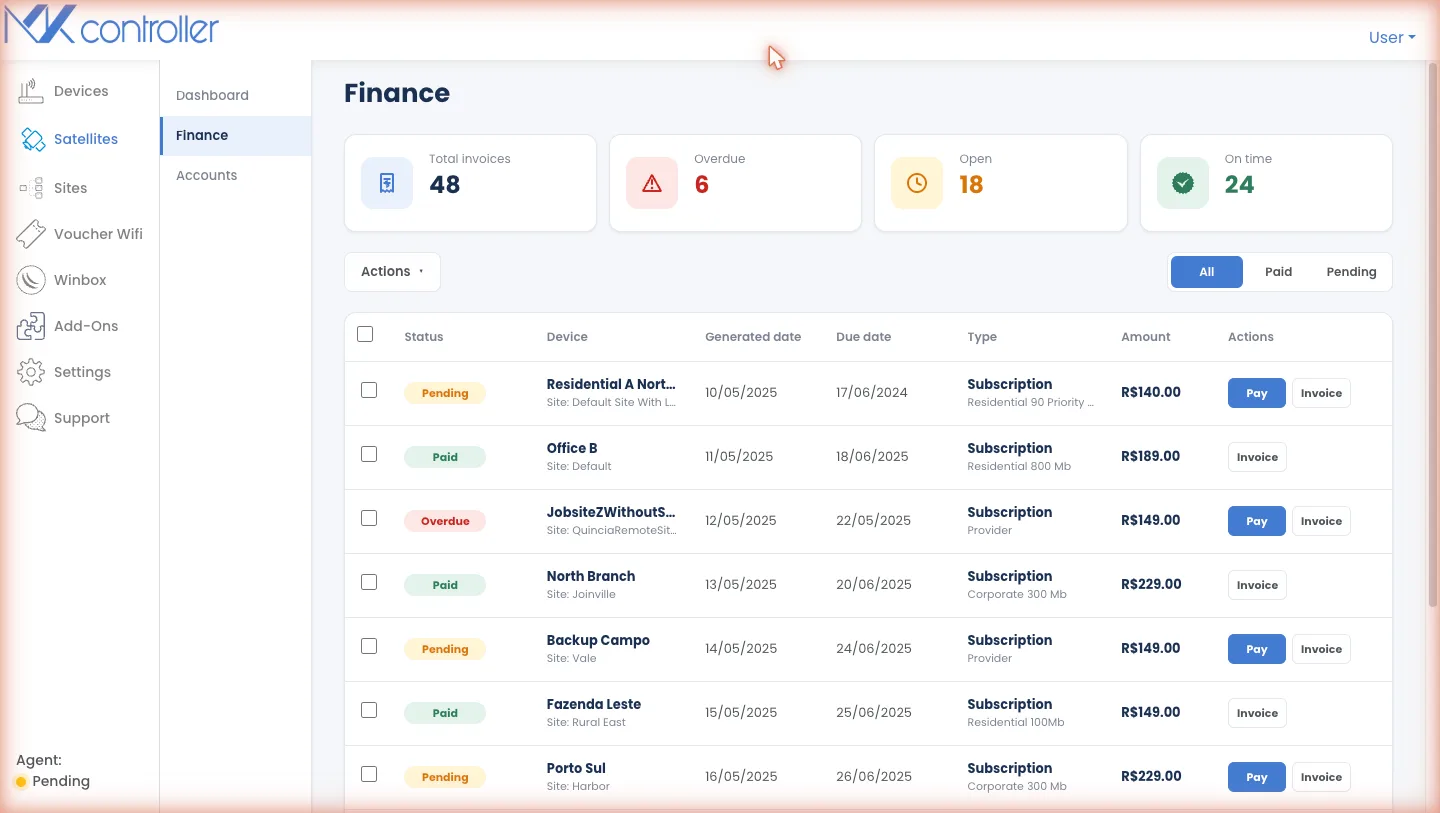
Catch billing risk before a site goes dark.
No terminal goes dark over an invoice nobody saw. Track overdue, open and on-time status across every account, then settle invoices or pull them for finance from one place. See how MKController handles plans & billing.
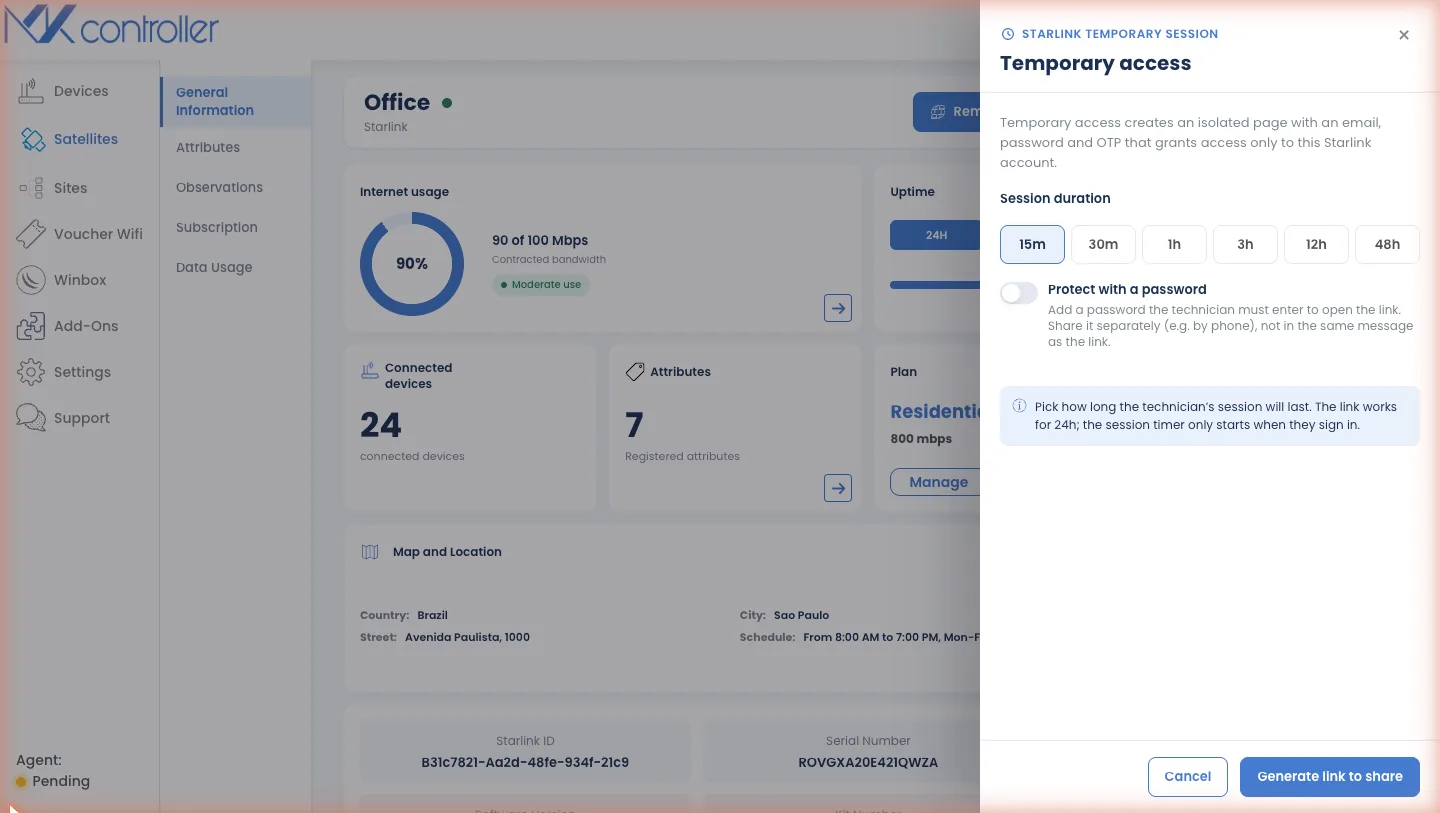
Field access that expires when the job does.
Generate a per-job, time-limited Starlink session for a technician — pick a duration, hand it over, and let it expire — instead of handing out your master login. The same model MKController uses to onboard sites without sharing standing credentials.
Why not just use Starlink Business directly?
Use Starlink for connectivity. Use StarController when Starlink becomes infrastructure to operate across many accounts, sites and vendors.
| Need | Starlink Business alone | StarController |
|---|---|---|
| Connectivity | Yes, it is the network | Complements it, never replaces it |
| Users & roles | Up to ~500 with RBAC, per account | Builds on top, not a re-sell |
| View across many accounts | Per-account, log in to each | One cross-account fleet view |
| Billing across the fleet | Per-account invoices | Fleet-wide status, one pane |
| Temporary field access | Account-level | Ephemeral, per-job sessions |
| Router / backup-WAN context | Antenna only | + MikroTik / UniFi site truth |
Starlink figures per Starlink’s published documentation. The real gain is managing many accounts as one, not a prettier single dashboard.
What works today — and what’s next.
If it isn’t shipped yet, we say so. No fine print.
- Cross-account fleet dashboard & map
- Per-terminal cockpit: usage, uptime, plan, location
- Fleet-wide billing & invoice views
- Temporary, time-limited field sessions
- MikroTik / UniFi site context via MKController
Proactive alerting & escalation
Today you watch the dashboard; next, StarController watches it for you — pushing an alert the moment a site degrades or drops, and escalating the ones nobody acknowledges.
Scoped least-privilege Starlink roles
Onboarding currently uses a broad Starlink Administrator role. We’re moving to narrowly scoped roles that grant only what operations actually needs — least privilege by default.
Access audit logs & self-serve revoke
A complete, exportable record of who accessed what and when, plus a one-click console to revoke any person or session yourself — no support ticket required.
Cross-account governance enforcement
Set your access and security policies once, then enforce them automatically across every Starlink account in the fleet instead of configuring each one by hand.
Backup-WAN failover intelligence
Combine Starlink status with your MikroTik / UniFi context to spot when a site has quietly failed over to a backup link — before it inflates cost or hides an outage.
Explore a full fleet before you connect a single dish.
Create your account and you land in a ready-made Sandbox — a sample Starlink fleet (with a few characters you’ll recognise) you can click through end to end. No hardware, no risk, nothing to undo.
Real workflows, sample data
Test remote access, fleet billing and alerts on a populated fleet — exactly how the product behaves with live terminals.
Zero setup, zero hardware
Nothing to install or wire up. The Sandbox is on the moment you sign up, so you can judge the fit in minutes — not weeks.
One toggle to go live
When you’re ready, flip Sandbox off and your real Starlink fleet takes its place — same screens, your data.
Bring your Starlink fleet under one roof.
Create your account and start in the Sandbox in seconds — your real terminals are one toggle away, on one screen, whenever you’re ready.
Create your account now →From US$ 3/mo · billed by total device count · starts in a Sandbox, no hardware needed · or talk to our team