
Starlink Fleet Billing & Invoices in StarController
Summary The Finance tab brings every Starlink invoice across every account into one list, so billing risk surfaces before a site goes dark — not after. Four KPIs summarize the fleet’s invoices, and each row can be paid or downloaded without logging into a separate Starlink account.
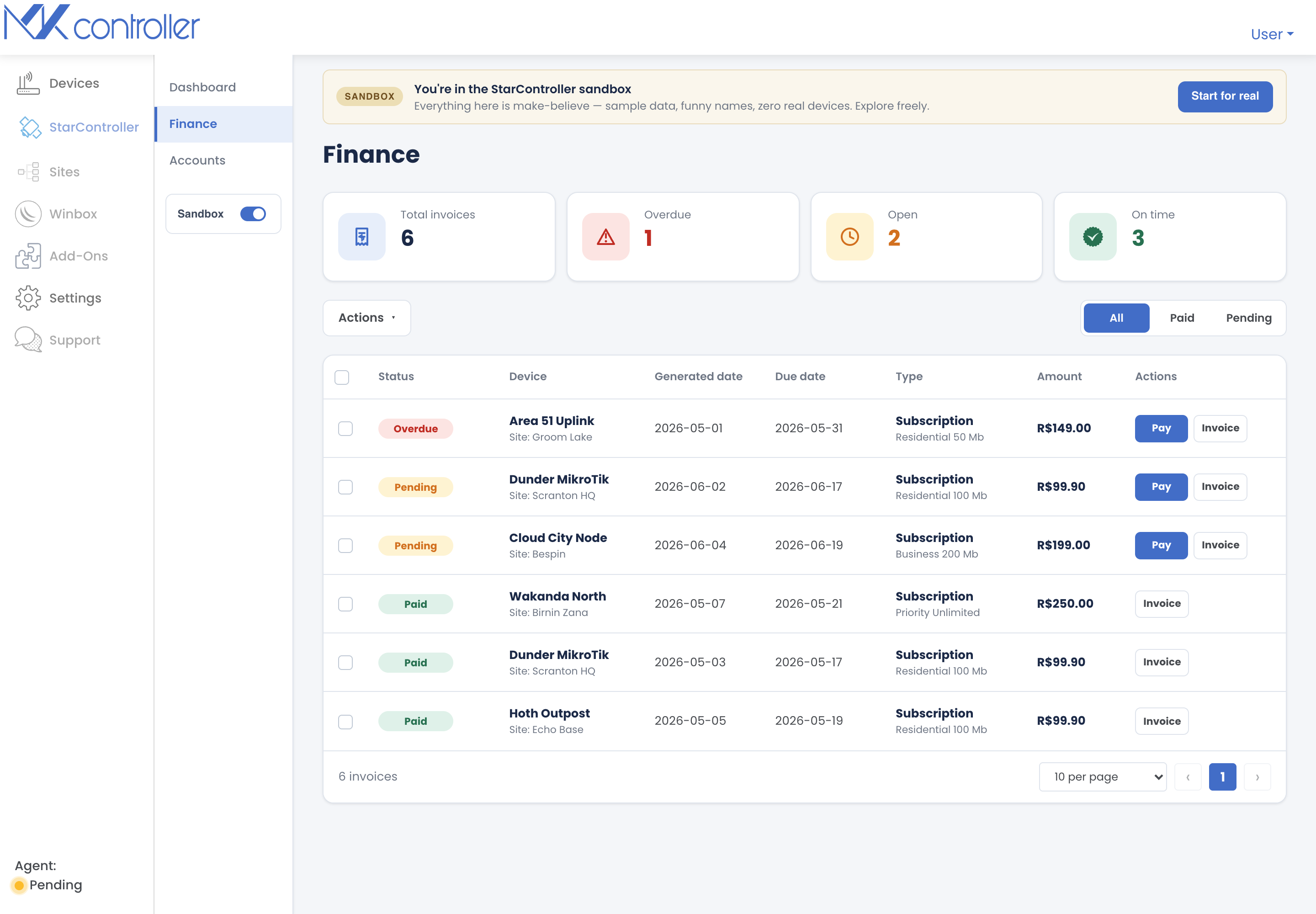
Open it from Satellites → Finance. Like the rest of StarController, it’s cross-account: one view of money owed and money spent across the whole fleet.
The KPI row
Section titled “The KPI row”| KPI | What it tells you |
|---|---|
| Total invoices | Every invoice in the current view. |
| Overdue | Invoices past their due date — the ones that can take a site dark. |
| Open | Issued but not yet due. |
| On time | Invoices settled on schedule. |
The invoice list
Section titled “The invoice list”Each row is one invoice:
- Status — Overdue, Pending, or Paid.
- Device and Site — which terminal and location the invoice belongs to.
- Generated date and Due date.
- Type — e.g. a subscription, with the plan.
- Amount.
- Actions — Pay an open or overdue invoice, or Download the invoice document.
Filters and bulk actions
Section titled “Filters and bulk actions”- Filter by All / Paid / Pending to focus the list.
- Use Pay all to settle outstanding invoices together, or Download invoices to pull documents for your finance team.
This is how you reconcile spend back to the site that drove it — and catch an overdue invoice before it interrupts service.
Next steps
Section titled “Next steps”- Inside a terminal — see a single terminal’s subscription and invoice history.
- The Fleet Dashboard — fleet status at a glance.
Didn’t find what you need? Have questions or feedback? Reach out to MKController Support.
👉 Click here to talk to us.