
Set MikroTik Voucher Data & Speed Limits
Tento obsah zatiaľ nie je dostupný vo vašom jazyku.
Summary Data and speed limits let you control how much and how fast each guest can use your Wi-Fi. Set a data cap (in MB or GB) and a speed limit when you create a code batch or an online plan; they apply to every session that batch or plan grants. Limits are essential on shared, satellite, and Starlink connections, and they let you sell tiered plans.
What Are Data and Speed Limits?
Section titled “What Are Data and Speed Limits?”- A data limit caps how much a guest can download and upload in a session — for example, 1 GB. When the guest reaches the cap, their session ends.
- A speed limit caps how fast the connection runs — for example, 5 Mbps — so no single guest can saturate your uplink.
Both are set per batch (for printed codes) or per plan (for online sales), so different offers can have different limits. You can use either, both, or neither.
Why Use Limits?
Section titled “Why Use Limits?”- Protect a shared or metered connection. On satellite, Starlink, or LTE backhaul, a few heavy users can consume your whole allowance or slow everyone down. Limits keep the connection fair and your costs predictable.
- Sell tiers. A “Basic” plan at a lower speed and a “Turbo” plan at a higher speed is an honest, easy upsell.
- Match the offer to the venue. A café pass and a month-long resident plan should not behave the same way.
How to Set a Data Limit
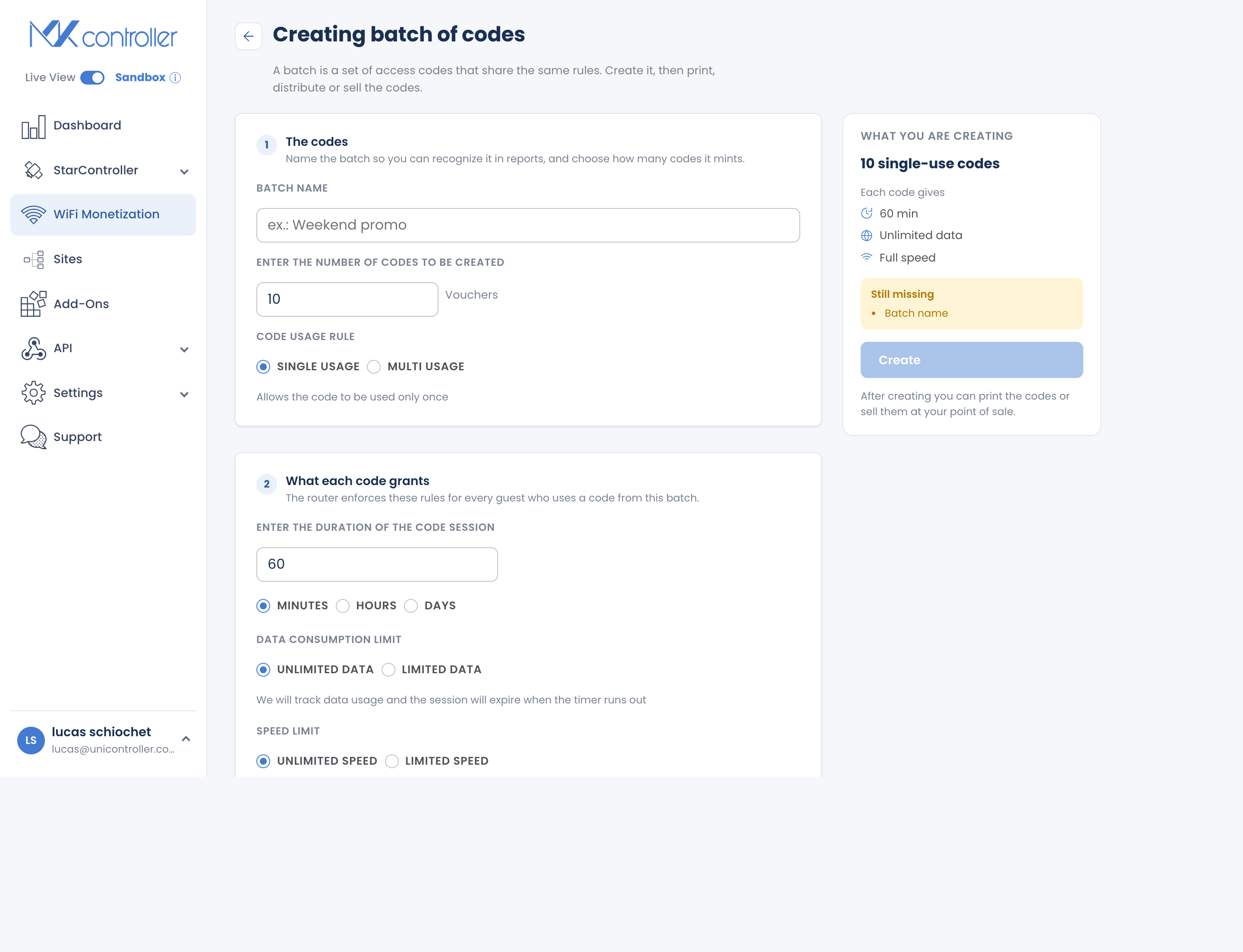
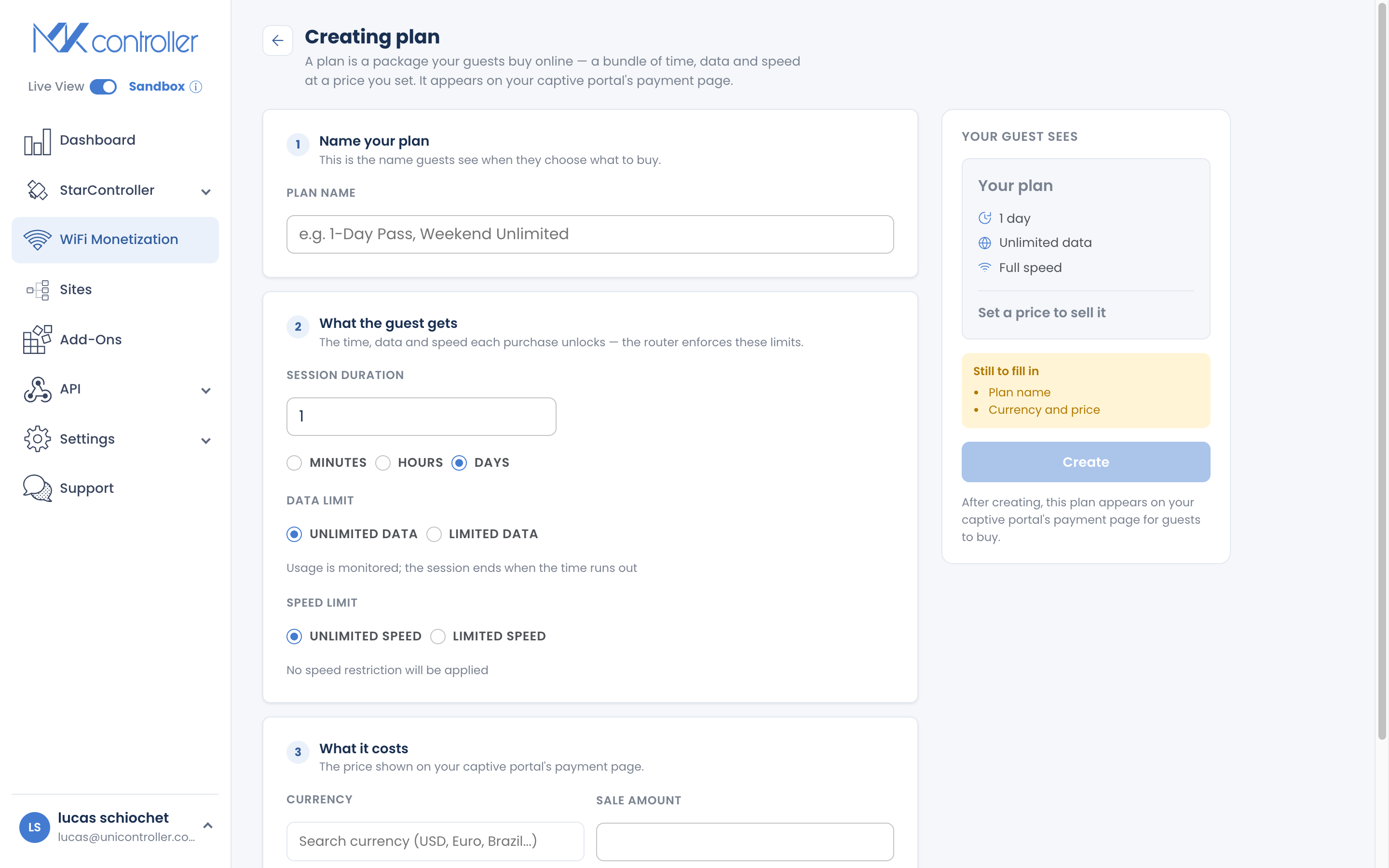
Section titled “How to Set a Data Limit”- Start creating a code batch or an online plan.
- In the data field, choose Limited and enter an allowance in MB or GB — or leave it Unlimited.
- Save. Every session from that batch or plan now carries the cap.
How to Set a Speed Limit
Section titled “How to Set a Speed Limit”- In the same batch or plan form, find the speed field.
- Choose Limited and enter a speed cap, or leave it Unlimited.
- Save. The cap applies to every guest on that batch or plan.
Data-Only Access (No Time Limit)
Section titled “Data-Only Access (No Time Limit)”You can sell access measured purely by data: set a data cap and leave the duration open. The session runs until the guest uses up the allowance rather than until a clock expires — a natural fit for satellite and Starlink communities that pay by the gigabyte.
How Much Should You Allow?
Section titled “How Much Should You Allow?”Use these as starting points and adjust from what you see on the Dashboard. For fuller venue-by-venue guidance, see How to Design Your Plan Lineup.
| Offer | Data cap | Speed |
|---|---|---|
| Short pass (hours) | 500 MB – 1 GB | 2 – 5 Mbps |
| Day pass | 1 – 3 GB | 5 – 10 Mbps |
| Week / month | 5 – 15 GB, or unlimited on fiber | 10 Mbps+ or unlimited |
What to weigh: your total uplink bandwidth, whether the backhaul is metered, how many guests connect at once, and whether you want to support video and downloads or just browsing and messaging.
How Limits Are Enforced
Section titled “How Limits Are Enforced”MKController tracks each session’s data and time and disconnects the guest when a limit is reached — you do not manage this on the router yourself.
Frequently Asked Questions
Section titled “Frequently Asked Questions”Can I set both a time and a data limit? Yes. A session then ends at whichever limit is reached first.
Can I create a data-only voucher with no time limit? Yes. Set a data cap and leave the duration open.
Do limits apply to codes and plans? Yes. Set them per batch (codes) or per plan (online). Different batches and plans can have different limits.
What speed should I choose for satellite or Starlink? Cap speed to protect the shared link — often 2–5 Mbps per guest for browsing, more for premium tiers. Adjust from real usage on the Dashboard.
What happens when a guest reaches their data cap? Their session ends. They can buy or redeem another plan or code to reconnect.
Explore next: Create & Sell Online Plans · Create & Print Voucher Codes · Dashboard, Realtime & Reports · WiFi Monetization FAQ
Managing a satellite or Starlink hotspot? Start your free MKController account or talk to our team on WhatsApp.