
MikroTik Management
Reach, watch, and secure every MikroTik — from one console.
Get into any router behind CGNAT without a public IP, know the instant a device drops, and see which boxes are running vulnerable RouterOS. No DIY VPS, no read-only dashboard.
3-day free trial, no credit card. Links your first device in minutes.
Get into any router behind CGNAT — no public IP
Open a terminal on a router you can't even ping. Each device gets its own OpenVPN tunnel to the cloud, so CGNAT, dynamic IPs, and Starlink don't lock you out. No port forwarding, no spare VPS, no static IP to rent.
✓ Per-device OVPN tunnel — reach-back without a public IP.
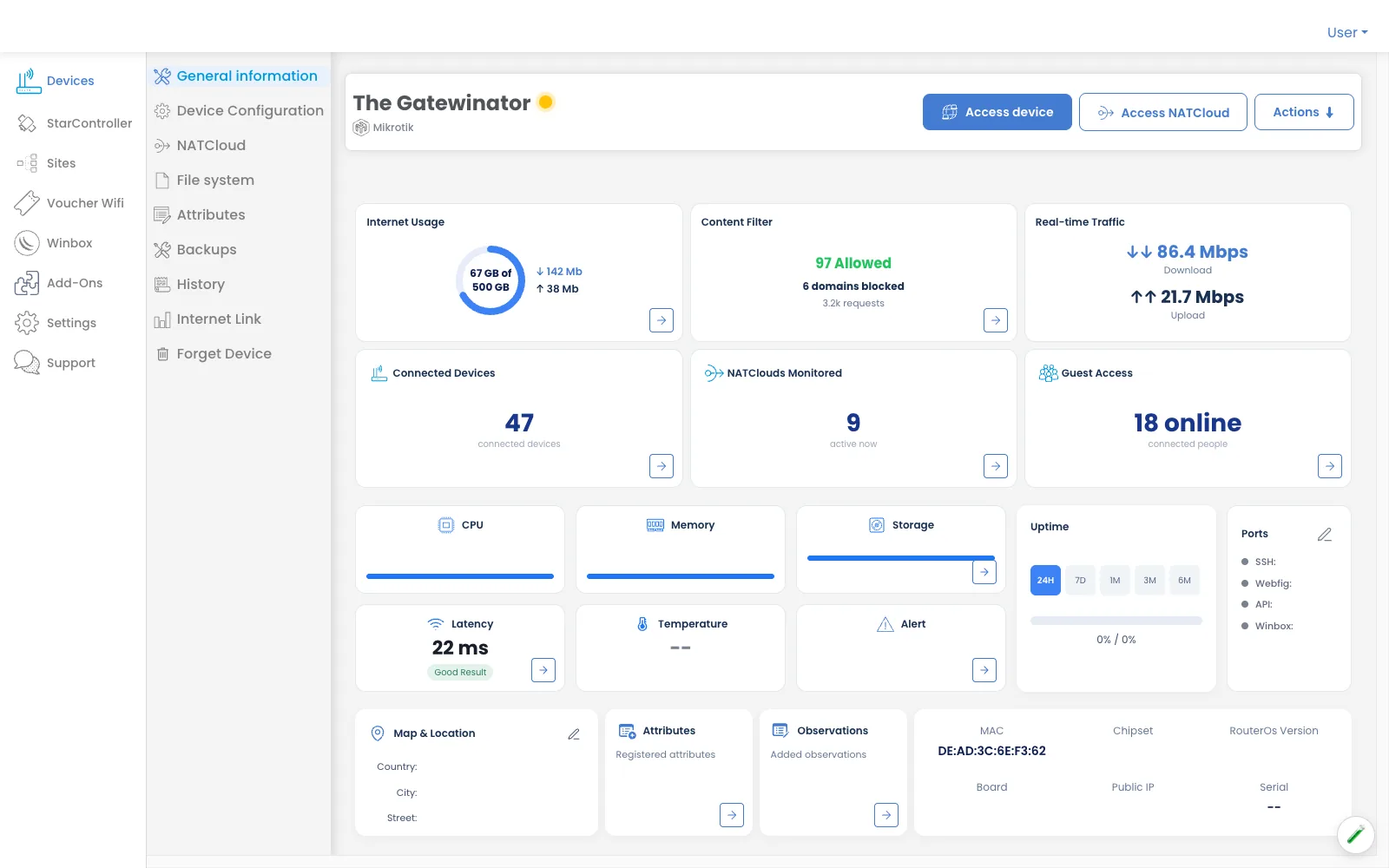
Stop flying blind — know the second a device drops
A missed down-alert is a crisis, not an inconvenience. You get a real-time alert the moment a router goes offline or comes back. Everything non-urgent is batched into a digest, so the urgent alert is the only one that interrupts you.
✓ Real-time up/down alerts; non-urgent events batched into a digest.
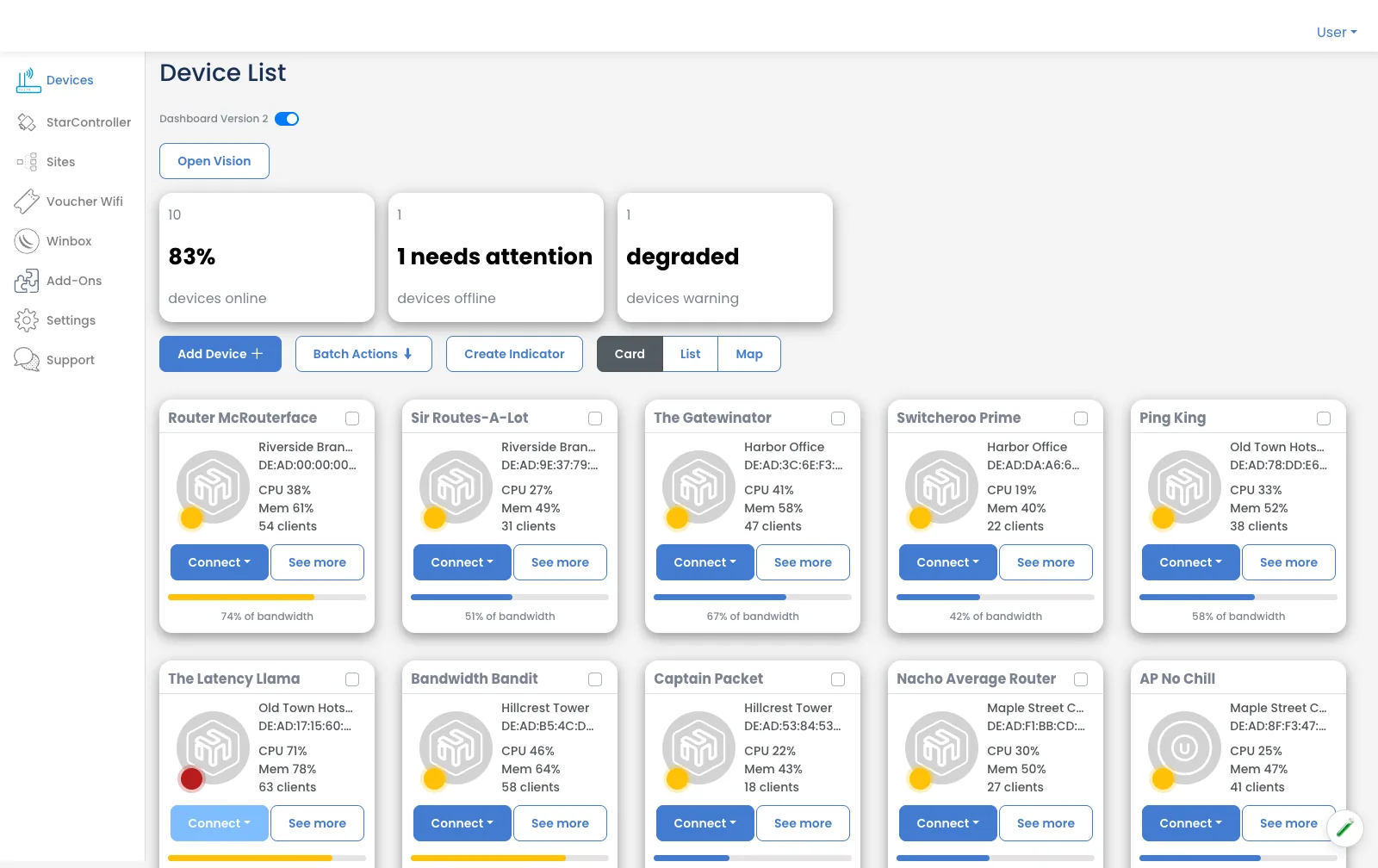
Am I affected? See which devices run vulnerable RouterOS
Old RouterOS builds are how routers end up in botnets. Instead of auditing each box by hand, see at a glance which devices are on outdated or exposed firmware — affected versus safe — so you patch what actually matters first.
✓ Adoption pre-flight reads RouterOS v6.4 to 7.23 (413 version combinations parsed).
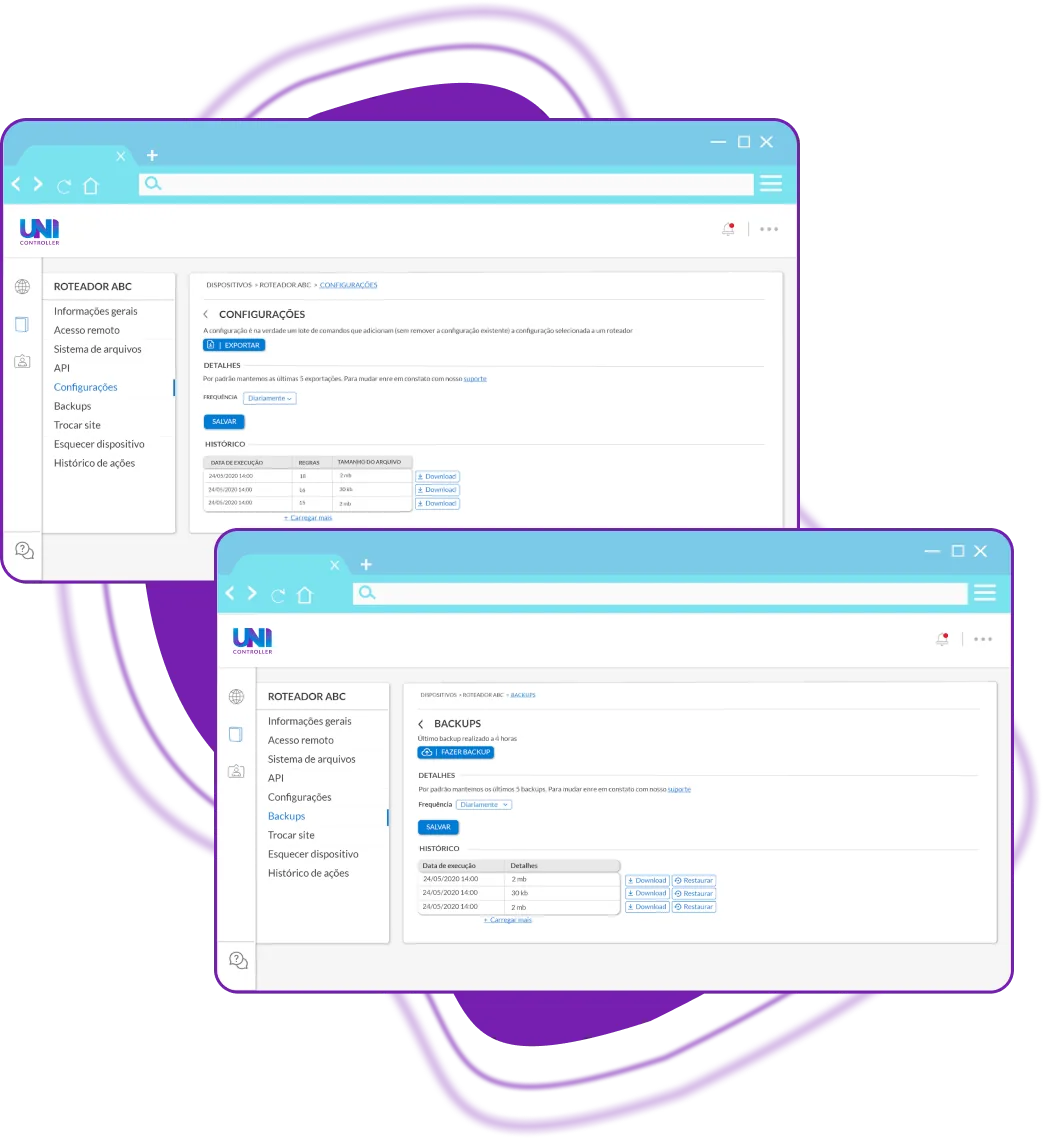
Backups and change history you can roll back to
When a config change breaks something, you need the last good state and a record of what changed. Keep automatic backups and a timeline of configuration changes per device — so recovery is a restore, not a rebuild from memory.
✓ Automatic backups plus per-device change history.
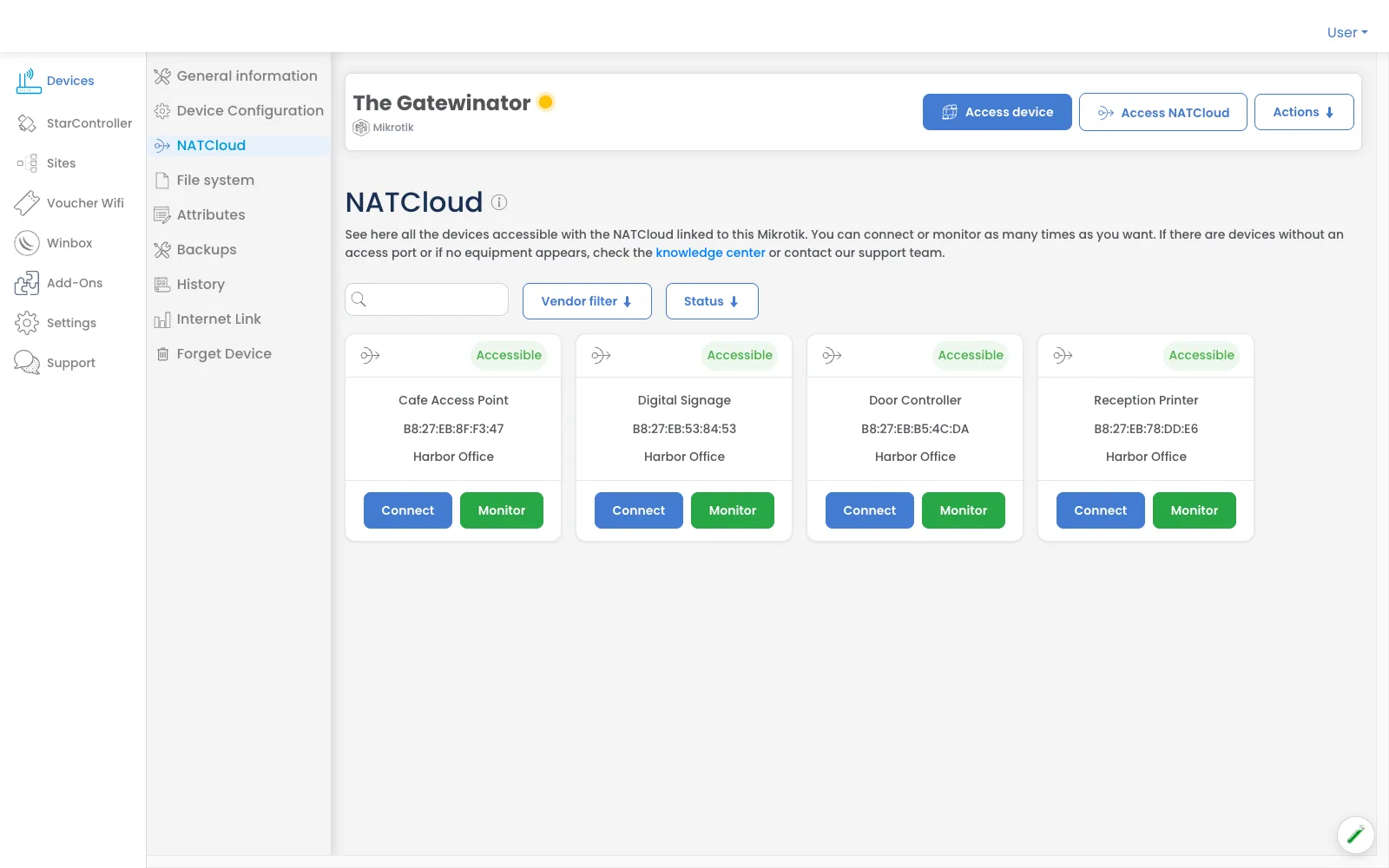
NATCloud — reach the LAN side, not just the router
The cameras, DVRs, and LAN apps sitting behind the router are usually unreachable from outside. NATCloud tunnels through to the intranet side, so you can open a camera feed or a local web app without driving to site or asking the client to forward a port.
✓ Reach intranet-side devices — cameras, DVRs, and LAN apps behind the router.
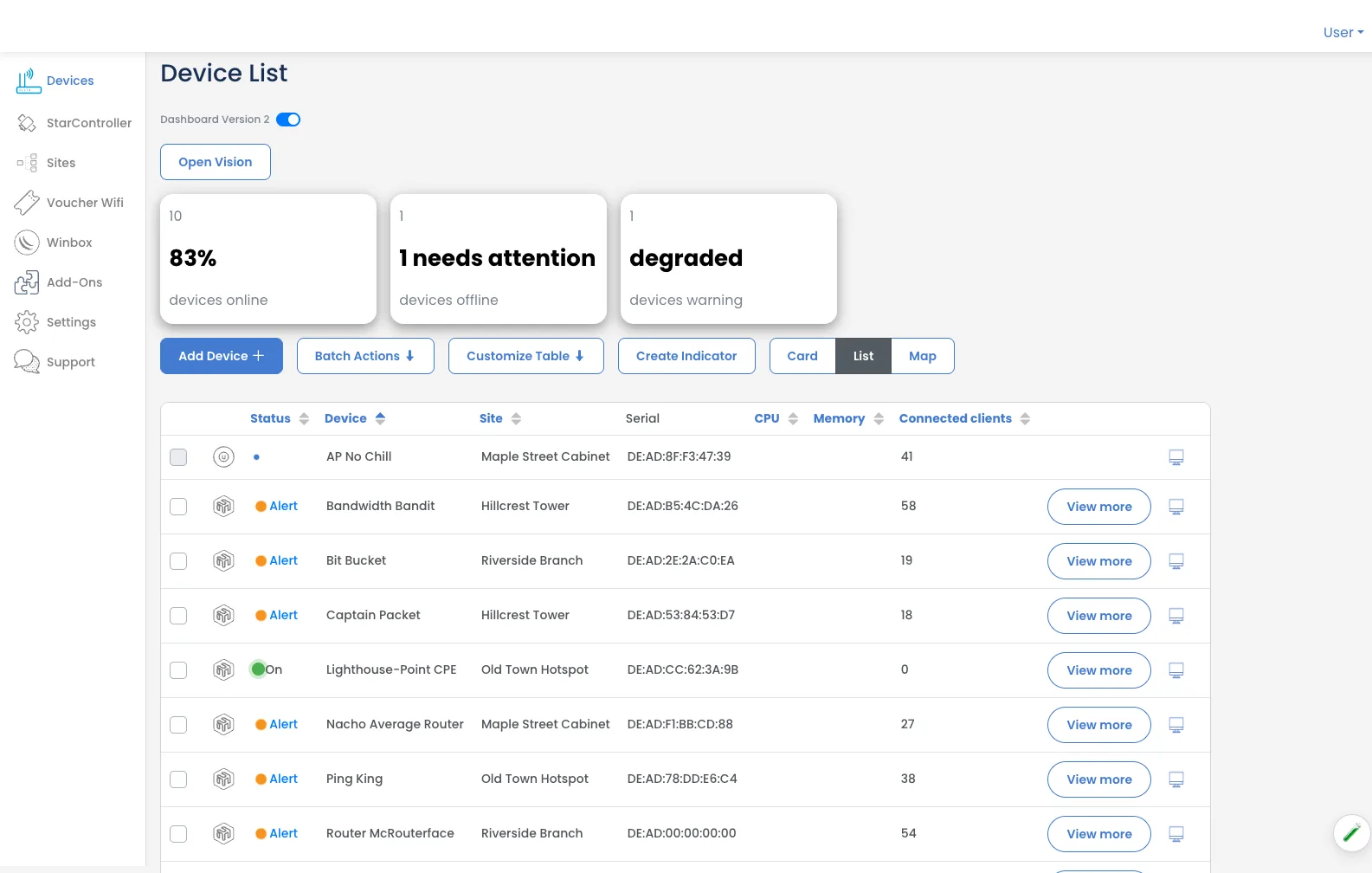
One console for the whole fleet — and every client
Run your own sites and your clients' networks side by side, with each tenant kept separate. This is a console that acts: reach in, push config, restore a backup, check posture — not just another dashboard that watches.
✓ Multi-tenant fleet console for MikroTik, UniFi, and Starlink.
Keep exploring
Link your first device in minutes.
Reach it behind CGNAT, watch it in real time, and see if it's exposed — from one console. 3-day free trial, no credit card.
Start free trial →